

What “possible duplicate” means in Trayage, and what it doesn’t
A file called “Project Notes (1).txt” looks like a repeat download. That doesn’t establish that it contains the same thing as “Project Notes.txt.”
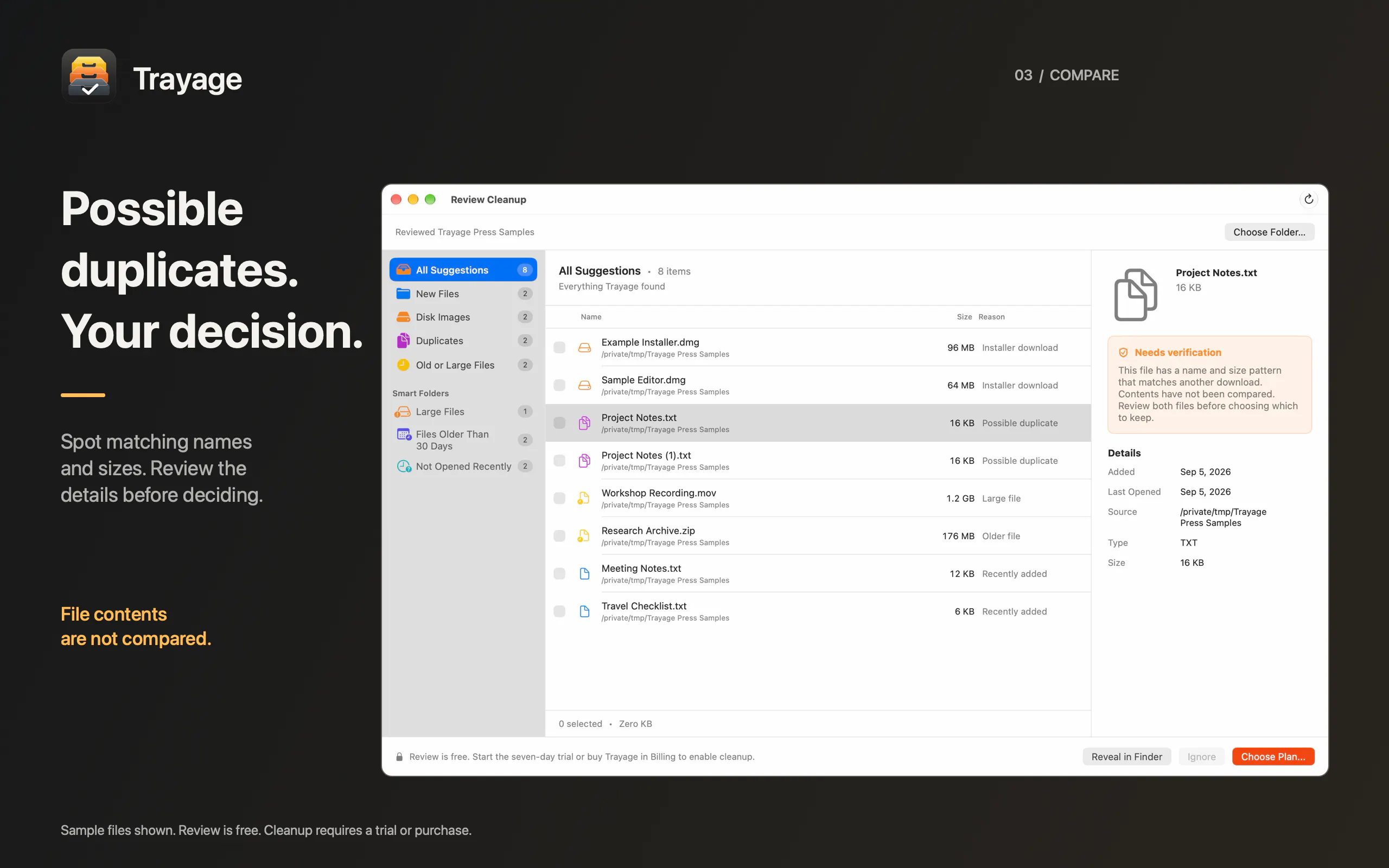
Trayage currently uses filename and file-size patterns to suggest possible duplicates. It does not compare the contents of those files.
I want that distinction to be clear before anyone makes a cleanup decision. The suggestion is a starting point for review. You can inspect the details, reveal the files in Finder, and decide what to keep. Cleanup requires your selection and confirmation.
The screenshot below uses sample files to show the “Needs verification” explanation alongside a possible duplicate.
If you were seeing this for the first time, would you understand that the contents haven’t been compared? Where would you expect that distinction to appear so you wouldn’t miss it?
Feedback on the screenshot is welcome—you don’t need to install the app to weigh in.
Replies
Be the first to reply
Have a question or a thought to share? Add a comment above to start the conversation.