

Beat Marker Pro
Product name: Beat Marker Pro
Platform: Windows standalone app → Premiere Pro workflow
One-sentence description:
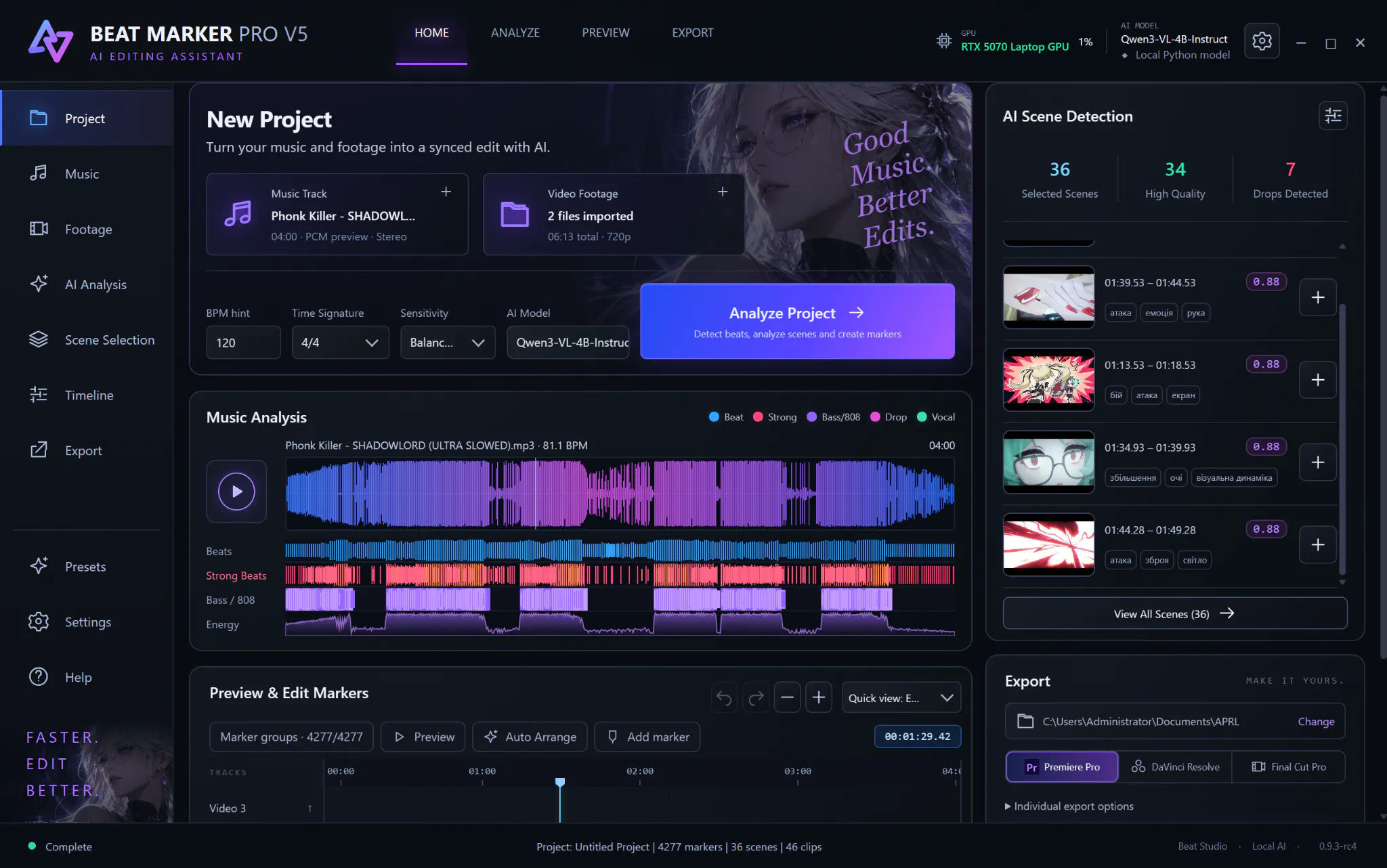
I built a local AI editing assistant that analyzes your music and raw footage, finds useful scenes, detects beats/drops/bass/vocal moments, and turns the analysis into an editable Premiere Pro timeline instead of making you sort everything manually.
What problem does it solve?
I make music-driven edits/AMVs myself, and one of the parts I hated most was spending hours scrubbing through footage, finding usable scenes, analyzing the track, placing markers, and building the first rough structure before I could even start doing the creative edit.
So I started building Beat Marker Pro for my own workflow.
The current workflow is roughly:
Music + raw footage
→ local music analysis
→ local AI footage/scene analysis
→ scene scoring and matching
→ beat / bass / drop / vocal markers
→ rough edit structure
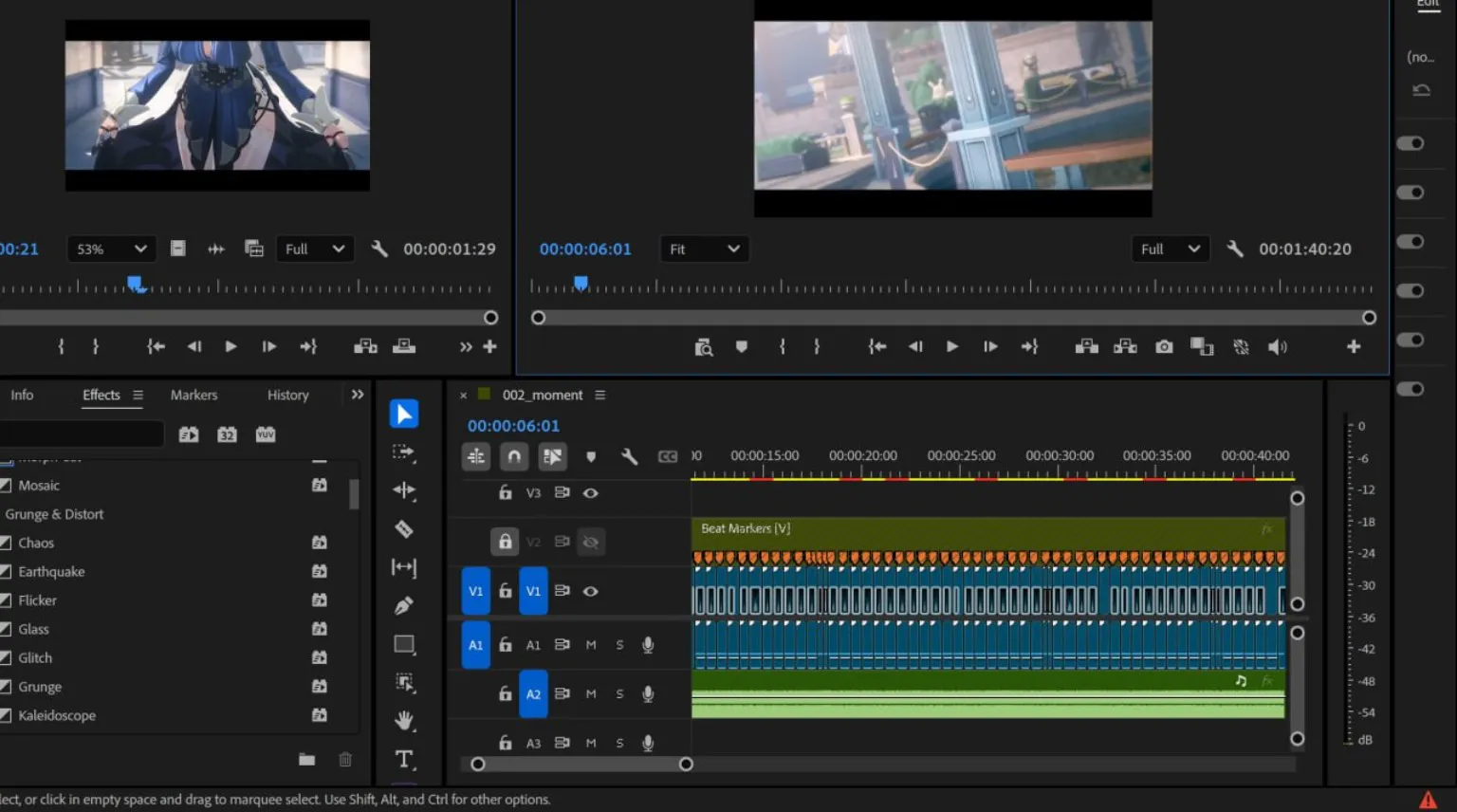
→ export into Premiere Pro
→ I finish the actual creative edit manually
The important part for me was not making an AI that takes creative control away from the editor.
I wanted it to handle the repetitive part of the process and leave me with an editable timeline that I can still completely change.
Everything is processed locally on the user's PC.
No cloud footage upload.
No AI credits.
No per-generation fees.
If you already own a capable GPU, I want the software to actually use it.
There are also controls for which marker groups you want exported, so you don't have to dump thousands of detected events into Premiere. For example, you can work only with drops + kicks + vocals, or use a much more detailed analysis.
I've already been using the program in my own real editing workflow rather than only testing it on demo footage.
I'm now opening a small Founder Beta because I want feedback from actual Premiere editors on the parts that matter most: scene selection quality, marker usefulness, workflow friction, installation, and how much time it actually saves you.
Price:
$16 one-time Founder Beta access. No subscription and no AI credit system.
Demo:
https://youtu.be/z9A4eu_j5s4
Early Access:
https://www.patreon.com/cw/AnimaStage
I'm the developer, so feel free to be critical. If something about the workflow looks useless, overcomplicated, or like it wouldn't save you time in a real Premiere project, I'd genuinely rather hear that now than build in a vacuum.
Replies