

We shipped "Model Family" — the genealogy of open source AI model
Hey makers 👋
We've been building **ParaPulse** — a trend-analytics layer for the open AI model ecosystem. The core idea: most tools tell you *how many* downloads a model has; ParaPulse tells you whether it's **rising or fading, how fast, and how it stacks up against its competitors.**
Today we're shipping a feature I'm genuinely excited about: **Model Family.**
**The problem**
There are over a million open models out there, but most aren't built from scratch — they're **adapters, fine-tunes, merges, and quantizations** of a much smaller set of base models. That lineage is real, but it's buried in raw metadata nobody reads. So when you're picking a model, you keep asking:
- What is this actually fine-tuned from — is the base solid?
- What quantized versions exist for *my* hardware (4-bit? AWQ? GGUF)?
- "I like Qwen — show me everything derived from it, and which ones are actually being used."
There's no good way to see any of this today.
**What Model Family does**
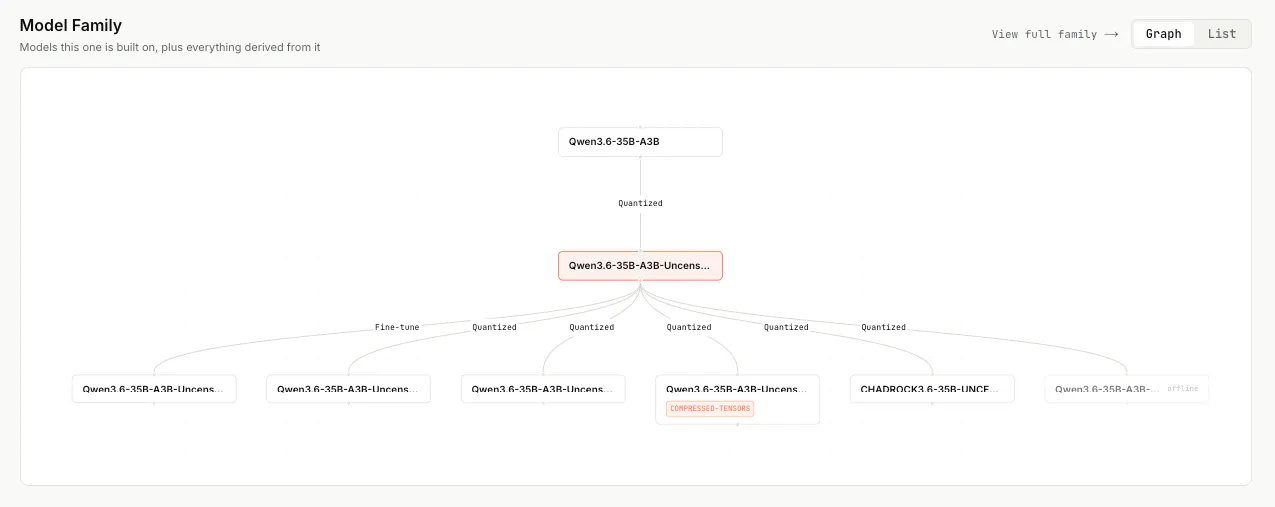
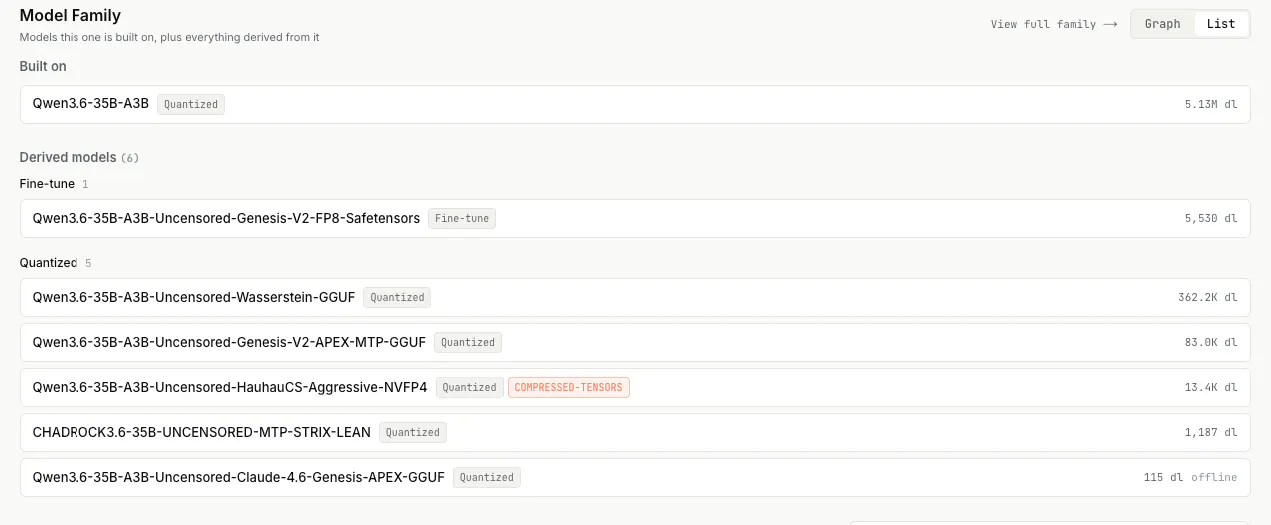
For any model, it renders the full lineage as an **interactive graph**:
- ⬆️ **Built on** — the base model(s) it descends from
- ⬇️ **Derived** — every adapter, fine-tune, merge, and quantization built on top of it, grouped by type and ranked by adoption
- Each connection carries the technical detail right on it: `4-bit AWQ`, `PEFT adapter`, `mergekit`, …
It's a true **graph, not a tree** — merges have multiple parents (a model can be a blend of 5 others). And base models we don't track yet show up as "ghost" nodes that link straight out to the source, so the map is never broken.
**Why it matters**
- **Builders** find the right variant in seconds — the quantization that fits their GPU, the adapter for their task.
- **Researchers** watch how a single base model propagates through the ecosystem over time.
- **Analysts & creators** get instant "family watch" stories — *"Qwen-2.5 now has 3,000+ derivatives, +40 new quantizations this week."*
And because it sits on top of our trend data, you don't just see the family — **you see which branches are growing and which are dying.**
**Try it** 👉 [parapulse.io] — open any model and scroll to **Model Family**, or jump to its full family page.
Would love your honest feedback — especially: **what would make this genuinely useful in your model-selection workflow?** Anything you'd want to filter or sort by (license, params, hardware, trend)?
---
## Notes before posting
- Swap `[parapulse.io]` for a deep link to a model with a rich family (a popular base like Qwen/Mistral) so the graph looks impressive on first click.
- The "3,000+ derivatives / +40 this week" line is illustrative — replace with a **real number** from your data; concrete stats boost credibility a lot on PH.
- Consider attaching a short demo GIF of the graph (pan/zoom + click into a derived model).
Replies