

🔎 Netfox 0.23.0 — find the devices that never speak

Netfox has always found devices by listening. This release lets it ask. 🔎
Your network has things on it that never say a word. A printer asleep. A camera that only ever talks to its own cloud. A Pi you set up in March and forgot. They are powered on and perfectly reachable, and until now Netfox could not show them to you — not because it was hard, but because everything it knew came from whatever announces itself, or whatever has already spoken to your Mac.
Sweep a range, and it asks each address directly.
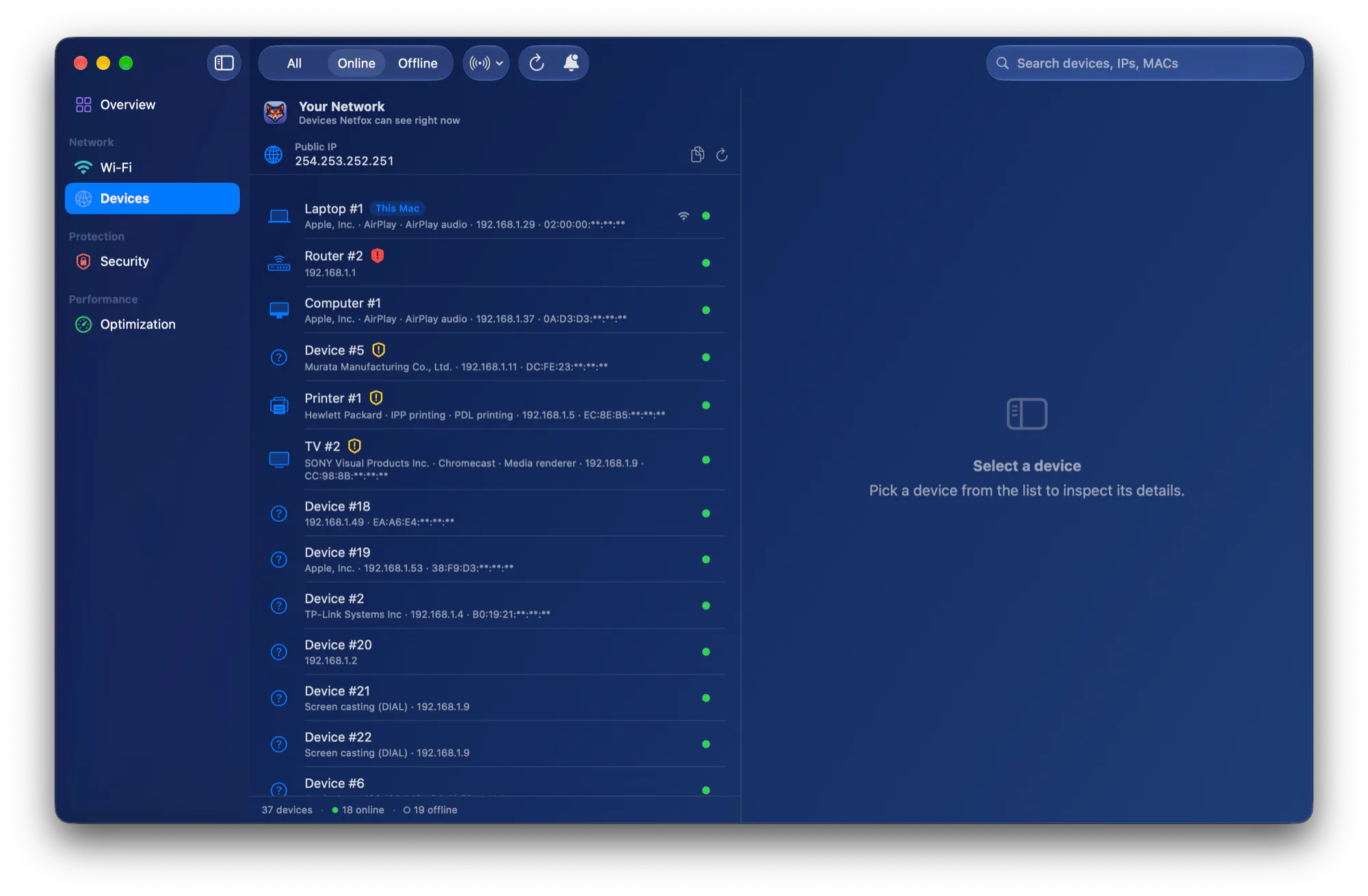
The new control sits in the Devices toolbar, right of the Online/Offline filter. 37 devices here, 18 of them online.
Whatever answers turns up as an ordinary device, with its identity, its history and its alerts. No password, no helper, nothing to install. It stays inside your own subnet, and a range that reaches outside is refused rather than quietly trimmed to fit.
That range is also a filter 🎯
Set it to two addresses and the list shows those two. This is the part that makes the whole thing honest: you can see what it found. While a range is active the control that set it says so, and the footer reads 2 in range · 33 on the network — because a filter you have forgotten looks exactly like a network that lost thirty devices.
And: who is holding that port? 🔌
For your own Mac, the Ports tab now names what holds each port, and one click deeper says whether closing it can be undone. That last answer is read from your Mac rather than assumed. Most services do not come back on their own once stopped: on the machine this was measured on, only 2 of 36 running services were set to restart themselves — so "it'll come back" would have been wrong about the other 34.
It also stopped making you wait ⚡
Inspecting a port that has closed since the last scan used to spin for the full timeout. A refusal is an answer and it arrives in about a millisecond; it was being read as a silence.
Free · universal binary (Apple Silicon + Intel) · macOS 15.6+ · signed and notarized.
👉 Try it / see what's new: https://netfox.app
What is the most surprising thing sitting on your own network? I would love to hear what the sweep turns up 👀
Replies
Be the first to reply
Have a question or a thought to share? Add a comment above to start the conversation.