

HiveTerm v0.27 + v0.28: pin what your agents find, edit files in place, and a glass redesign

Two releases since split panes landed. Here's what shipped.
v0.27 — Pins & Notes
You know the "found this, not ready to fix it yet" pile? Now you can pin any terminal output to a per-project rail and work it as a checklist. Title + body per pin, drag to reorder, done items collapse. Works inside full-screen TUIs like Claude Code, not just plain shells. A notes scratchpad sits under it and autosaves per project.
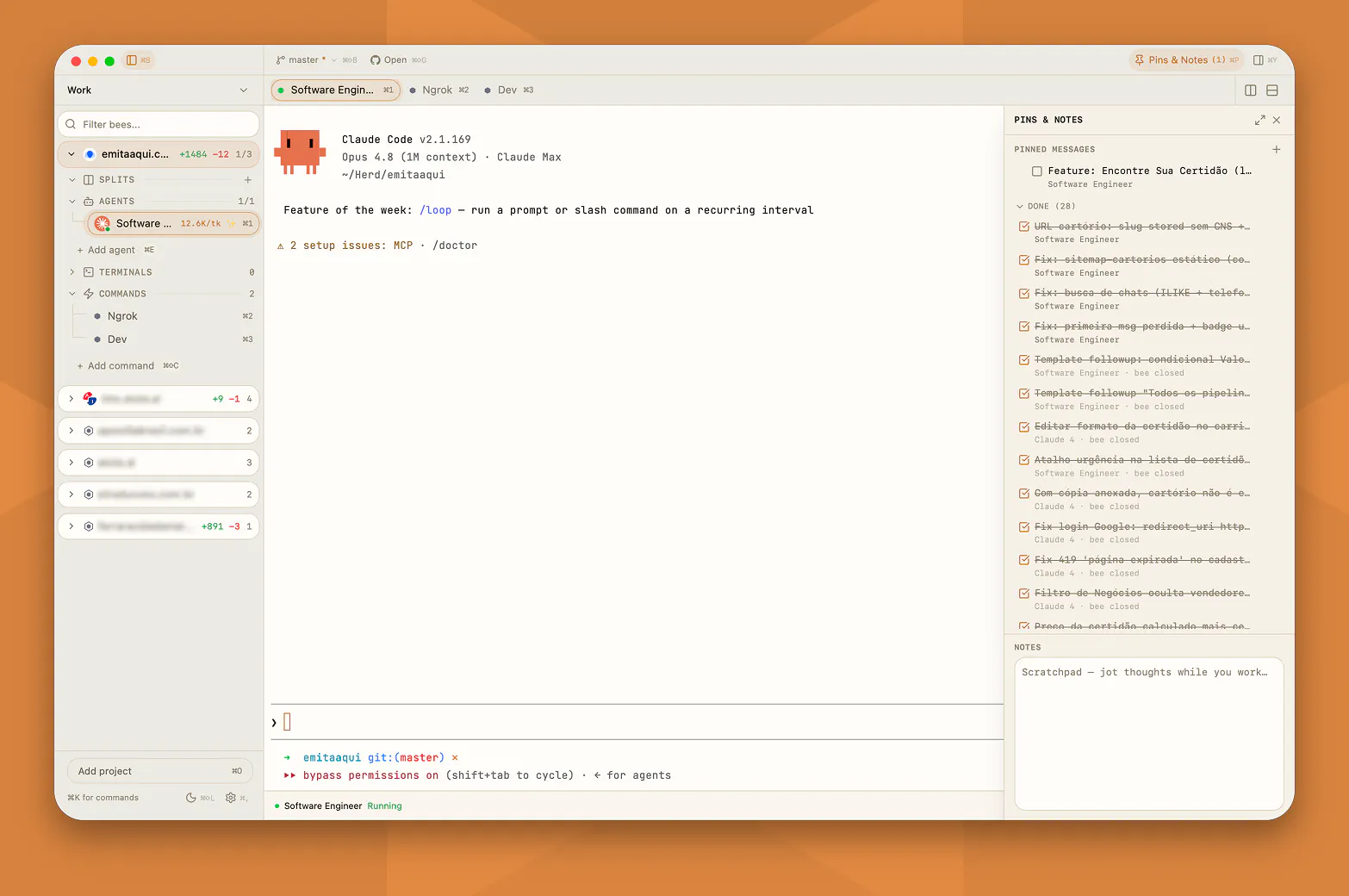
The part I like most: your agents manage that list themselves over MCP. Claude pins its own plan and ticks items off as it works. Eight tools, each scoped to its own project.
v0.28 — new look, new muscle
Gave it a glass coat on macOS: translucent sidebar and panels, rounder corners, its own window buttons, plus a spacious/compact density toggle.
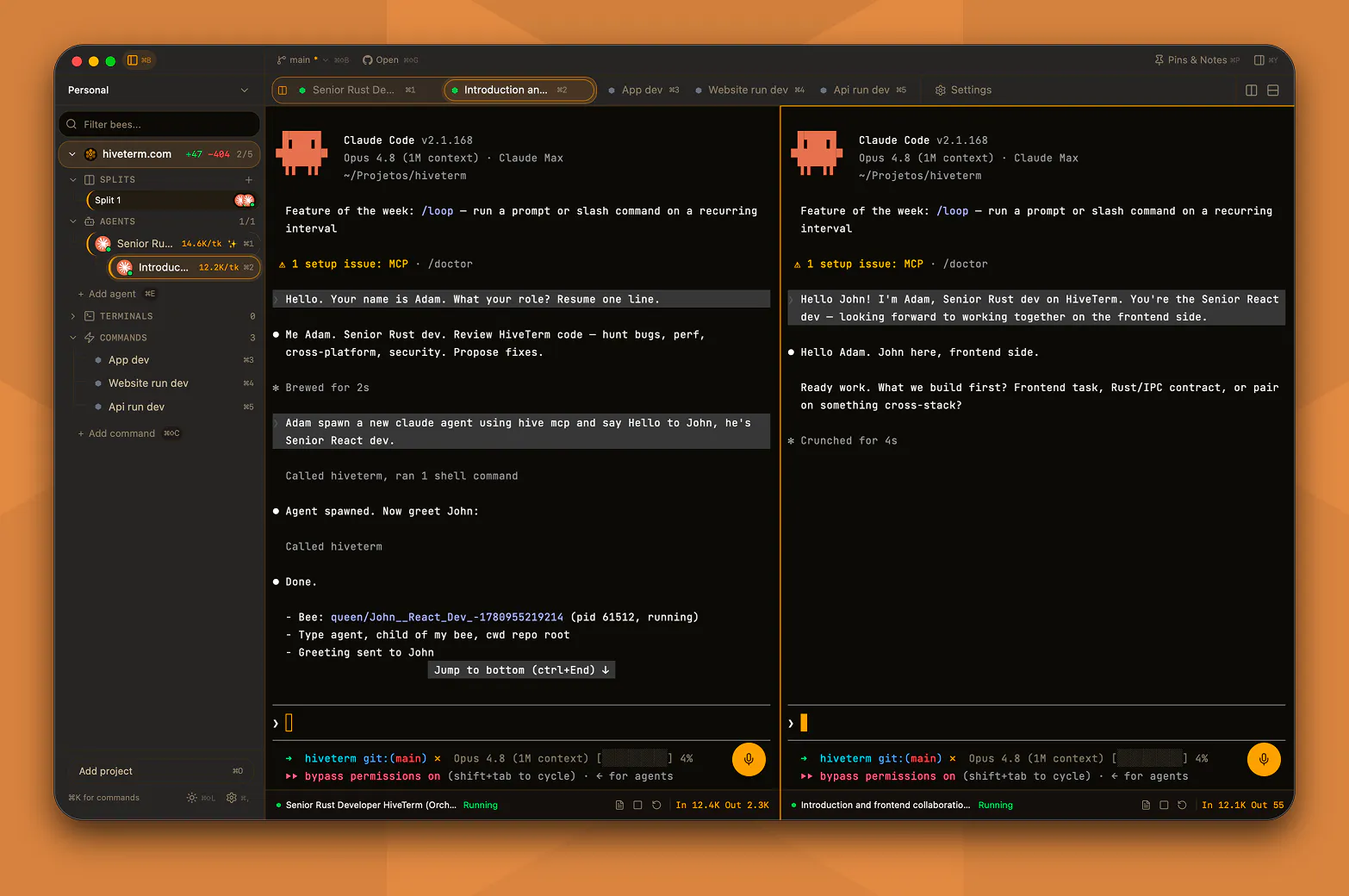
Under the surface:
Edit files in place. Open a file from the diff and change it right there. Real editor, syntax highlighting, find, go-to-line, Cmd+S to save. Atomic writes that keep your line endings and BOM intact.
Start a command without it stealing your screen. Hit play in the sidebar and it runs in the background. Click in when you actually want to look.
A real welcome screen when nothing's open, with your recent projects one click away.
What would you want next?
Replies