

Comparison of GitFig vs Tokens Studio
How GitFig compares to Tokens Studio and other ways teams put design tokens under version control
GitFig connects a Figma file directly to a GitHub repository and gives Figma's native Variables and Styles a real Git workflow: change detection, staged commits, branches, and pull requests, all from inside Figma. Tokens land in your repository as standard W3C Design Tokens JSON that any DTCG-capable tool (Style Dictionary, your build pipeline, other design tools) can consume.
GitFig vs Tokens Studio
Both tools put tokens in Git, but they start from opposite ends.
Tokens Studio is a token editor that lives in a plugin. You author tokens in its own store and format (token sets, themes, math and composite tokens), then apply them to Figma variables and styles through an export step. That model is powerful for token-first teams, but it means your design system has two representations, the plugin's and Figma's, and you manage the mapping between them.
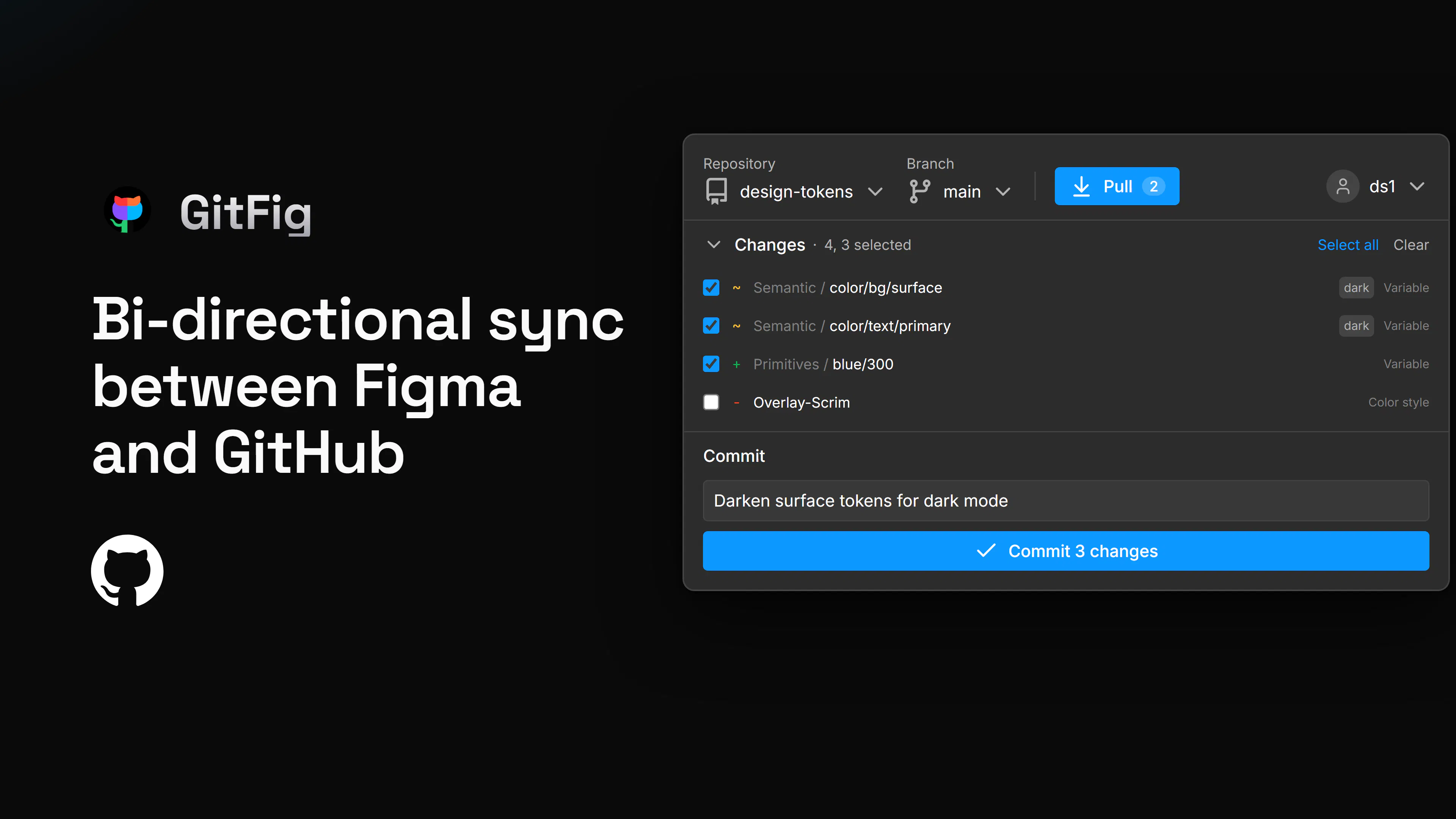
GitFig treats Figma's native Variables and Styles as the source of truth inside Figma, the same Variables panel your components already consume, and adds the Git layer around them. It detects your edits like a working tree. Select the changes you want to commit, write a commit message, and push. Engineers can also edit the token files directly in the repo, and those commits flow back into Figma through Pull.
Components
With GitFig, your components consume Variables natively, binding a variable to a fill, a mode to a theme or state, or a boolean variable to a visibility property. GitFig versions the variables and styles underneath, so component behavior stays a pure Figma concern and keeps working with every Figma feature, current and future. Tokens can be edited on either side. Changes made in Figma (renaming a variable, adding a mode, changing a value) appear in GitFig's change list, ready to commit. Changes made directly to the token files in the repo, by engineers and agents, Claude Code, etc., surface in GitFig on the Pull button as new commits, and one undoable pull applies them to your Figma Variables and Styles.
Tokens Studio remains a good fit if you author math-driven or composite tokens that Figma variables cannot yet express, or if your repositories live on GitLab, Bitbucket, or Azure DevOps. If your tokens are (or should be) native Figma Variables and Styles, GitFig removes the parallel model and the export step.
Already on Tokens Studio, or looking for a Tokens Studio alternative?
GitFig reads its format directly, so migration is one pull and one push.
See Migrating from Tokens Studio and the Example files for migrating from Tokens Studio to GitFig.
Replies
Be the first to reply
Have a question or a thought to share? Add a comment above to start the conversation.