

Why Bookmash doesn’t store your bookmarks
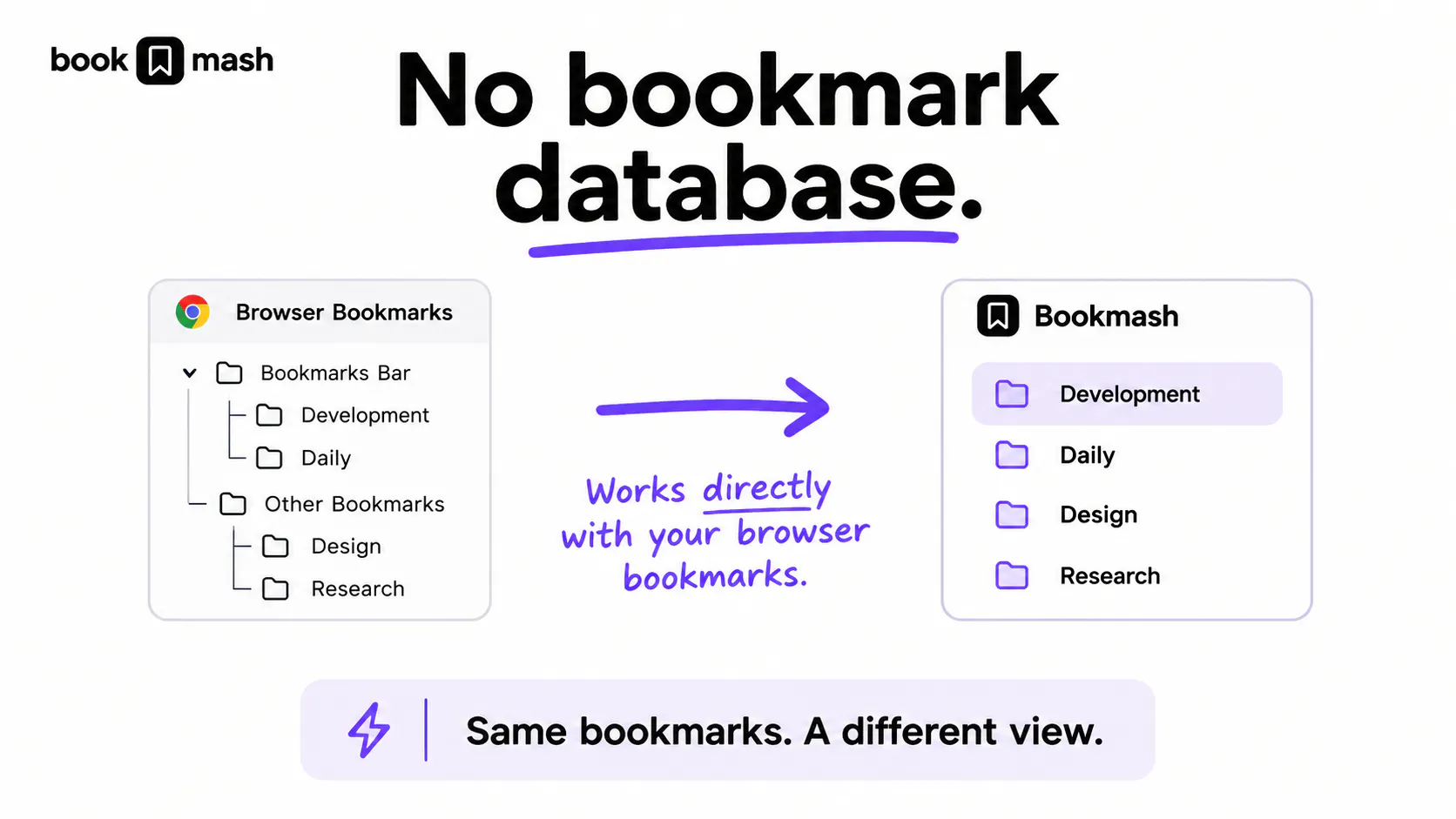
One architectural decision behind Bookmash has shaped a lot of how the product works: I don't store a separate copy of your bookmarks.
Bookmash works directly with the bookmarks that already exist in Chrome or Firefox. Your browser remains the source of truth.
That means there's no bookmark database in Bookmash that needs to stay in sync with the one in your browser. If you rename a folder, move a bookmark, or reorganize things outside of Bookmash, there's no second version of that data to reconcile.
Instead, Bookmash reads the current browser bookmark tree and builds a different, more useful view on top of it — for things like Collections, search, and MyMash.
This also means there's nothing to import or migrate when you start using Bookmash, and your bookmarks don't become dependent on it. If you stop using Bookmash, they're exactly where they were before.
The idea is simple:
Same bookmarks. Same source of truth. A different way to use them.
I wrote a more technical breakdown of the architecture today, but I think the product principle behind it is just as important: a bookmark manager doesn't necessarily need to become the new home for your bookmarks.
Replies
Be the first to reply
Have a question or a thought to share? Add a comment above to start the conversation.