Zing Data

Zing Data

Free collaborative analytics designed for your phone

5.0
•2 reviews•

256 followers

Zing makes it easy to ask questions on the go from your database (PostgreSQL, with more to come) for free in just a few taps: * Ask questions * Search for data * Create visualizations and tables * Chat with your team..from wherever you are.
This is the 3rd launch from Zing Data. View more

Zing: Visual AI Charting and Alerts

Gen AI charting, dashboards & alerts on mobile & the web
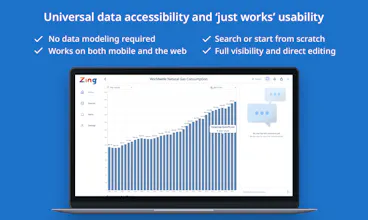
Natural language meets drag & drop UI to get fast answers from mobile or the web -- no need for SQL or a desktop. No data modeling. Ask questions with AI and get *directly manipulable* charts. Ensure AI did the calculation right, or fix it fast.
Zing: Visual AI Charting and Alerts gallery image
Free Options
Launch Team
AppSignal
AppSignal
Built for dev teams, not Fortune 500s.
Promoted

What do you think? …

zack hendlin
After trying every BI tool out there, writing a ton of Python and SQL code to answer questions, and feeling like *there had to be a better way*, we created Zing Data AI. šŸŖ„ It lets you choose how you want to work -- natural language to query data, or drag and drop, or a SQL typeahead. Unlike most other 'AI data tools' out there, with Zing everything is directly editable visually. šŸš«šŸž No need to debug SQL, or have a horrible back-and-forth chat with some chatbot that doesn't understand you just to get to a correct answer. OpenAI's GPT4, Google PaLM V2, and other cutting edge LLMs that we've fine-tuned for data queries help deliver super-relevant results -- all while ensuring all data and querying happens on your databases and isn't sent to foundation model providers. šŸ¤ Want to do joins? Set those up in the data source settings before asking natural language questions on top of the. šŸ”” Want to set up real time alerts? Just create a time series graph, and then hit 'add alert' under the three dots. āœ‰ļø What to share your results with others? Create a public link for sharing. šŸ“Š Want to create a dashboard? Just add your saved questions to a dashboard, and viola! All this works from Zing's iOS, Android apps, or the web so you always have up-to-date data that comes to you. You can have unlimited data sources live side by side -- PostgreSQL, Snowflake, BigQuery, Databricks, Redshift, CSVs, Excel files, JSON, Clickhouse, mySQL, Microsoft SQL Server, and more. You can try out Zing for free (up to three people) at http://www.zingdata.com
Leo Wendler
Congrats on the launch @zhendlin and team Love the super easy chart building with drag and drop
zack hendlin
Thanks @leo_wendler for your support - its cool what you're working at meetjamie.ai to make meeting notes way easier to capture and summarize! Perhaps together what we're both working on will make work a lot better across meetings, data, and decisionmaking!
Leo Wendler
@zhendlin That is definitely the goal ;) All the best for your launch day
Kevin Moore
Mobile native AI BI? That sounds really valuable for some big industries. Looks cool!
zack hendlin
@kevrmoore Thanks! A couple of common use cases we see are operational / retail / logistics -- plus PMs / engineers / execs who want to always know whats happening with their products!
Josh Yap
šŸ’” Bright idea
This is really cool! I've always disliked writing out SQL code to get the exact data I want, especially when they're complex and involve a lot of joins/groupings. That being said, I also don't have much experience with other BI tools, but I can imagine the natural language feature of Zing is going to be really helpful. Bringing it back to my previous point, I'm wondering how well this handles complex data joins and filtering? Also curious: what has been the coolest use case that has maximum wow factor?
zack hendlin
@joshyap Great question - You can set up joins relationships between tables / views which the AI can use (details here: https://docs.getzingdata.com/doc... ). It handles filtering from your natural language query as you'd expect -- so if you ask "How many customers in Texas have less than $1000 spend", it will apply those multiple filters. Because its all drag + drop editable, you can easily adjust filters on the fly to make sure they capture exactly what you want. The coolest use cases we've seen so far mix this querying capability with real-time alerts: * A product team keeps track of core metrics for product health (signups, churn, feature usage) and has alerts for when things go great or break so they can take action * A genetic testing company uses this to see new promising results in real-time with push alerts * A trucking company uses this in the field to know what trucks are delayed * A retailer makes sure they don't run out of things in each store with real-time monitoring of inventory
Viduni Wickramarachchi
The drag-and-drop query builder is very easy to use. I was able to connect my datasource, query a table and create visualizations in less than 3 minutes. Very cool feature! The formatting options, sorting and the ability to view the visualizations in any chart type are nicely designed and well thought-out. Excited to explore the app more!
Mark Freeman
šŸ’” Bright idea
Congrats on the launch @zhendlin and to the Zing team! The fact that this available on mobile is huge for meeting people where they are at, especially for workers where their office is out in the field. I interviewed Zach on my newsletter earlier this year, so it's awesome to see the vision come to life.
Sabin Thomas
@mellamomark Thanks for the support! Being able to use AI with data and refine it with a tap, swipe, click has been incredibly useful according to our users.
Sabin Thomas
We've found that the current state of generative AI on data suffers from hallucinations. This is why we at Zing Data implemented a visual AI experience that is reliable and gets you to the right analysis fast. Works on any kind of datasource - postgres, google sheets, csv, excel, Snowflake, Databricks, Clickhouse, Trino, Google BigQuery.
12
Next
Last