WPAI

WPAI

Free Generative AI Chatbot for WordPress

12 followers

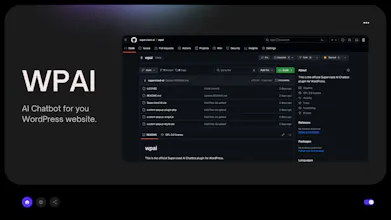
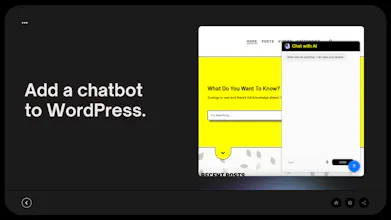
Add a generative AI-powered chatbot into your WordPress website for free. Use 10+ open-source languages including Gemma 7B, Supervised Open 3.5 Turbo, Open 7.0 max, Mythomist, etc. right into your blog.
WPAI gallery image
WPAI gallery image
WPAI gallery image
Free
Launch Team
Wispr Flow: Dictation That Works Everywhere
Stop typing. Start speaking. 4x faster.
Promoted

What do you think? โ€ฆ

Udit Akhouri
Hello guys ๐Ÿ‘‹ I have been using WordPress since last 4-5 years for almost all my side projects. In fact, I built the first version of Sttabot itself on WordPress. And that's why, I know how big of a problem is it to add a generative AI-based chatbot into your blog. WPAI or AI Chatbots for WordPress, solves this problem for you. While developing, I was thinking about the use-cases.. I found some - 1. You can add it to automate customer support. 2. You can build a 2nd brain with AI and add it to Blog so your visitors can interact with you. 3. You can fetch an agent with all the content of the article/post/page and add it to the page itself so users can ask questions from the chatbot about the article and it can give semantic answers/responses to it. If you want to get a LTD of Supervised Pro (computer vision, larger models supported, 20,000+ API call/mo, etc.), get it at just $199/lifetime from http://open.supervised.co/ltd-pro/ Also, you can build and add unlimited numbers of AI chatbots/agents into your WordPress website with this plugin for free. So, lesss gooo ๐Ÿš€ Do share me what changes you need in this plugin.. I am happy to do so.
Anshu Raj
Useful plugin. Congrats on the launch. ๐Ÿš€
Izzy Fahey
this is such a useful tool! thank you for making it free, and good luck with the launch!
Prateek Kapoor
Congratulations on the launch! I can already imagine the benefits it brings, from automating customer support to enhancing user interaction with semantic responses. Great work!
levene
Good project i like this