
Wiretap Audio Recorder
Record, edit & export audio from any browser tab.
8 followers
Record, edit & export audio from any browser tab.
8 followers
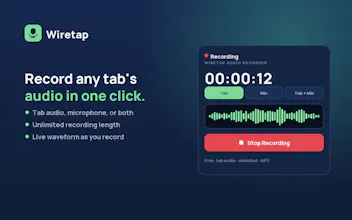
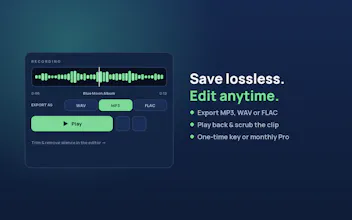
Most tab recorders just capture sound — Wiretap also edits and exports it, no screen recorder or desktop app needed. Record any browser tab or your mic in one click, trim it in a built-in waveform editor, and export to MP3, WAV, or lossless FLAC. Free records + exports MP3; Pro ($2.99/mo) unlocks WAV + FLAC, the editor, and a 10-clip archive. Great for podcasts, meetings, lectures, and music references.




Free Options
Launch Team / Built With


Render: Get up to $100K in startup creditsThe fastest way to deploy and scale apps and agents
Promoted
How does the editor work in the browser without downloading anything, and is there any catch with the $2.99 plan like a clip length limit on the free version?
@ramazan69s2 Hey Ramazan, great questions 🙏
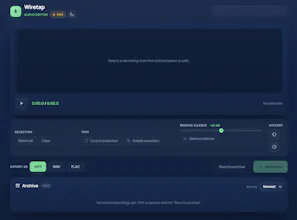
On the editor: it's built into the extension itself. When you install Wiretap from the Chrome Web Store, the editor comes bundled with it — nothing extra to download. It runs entirely in your browser using the Web Audio API, and your audio is processed locally on your machine, so nothing gets uploaded to a server. You record, the waveform opens right there, and you trim + export without ever leaving Chrome.
And it's not just tab audio — you can record your microphone on its own, or record your mic layered over the tab audio, so things like reaction commentary, voiceovers, or narrating over a video all work in one pass.
On pricing — no hidden catch, the split is intentionally simple:
- Free: one-click recording + MP3 export, no limit on the length limit
- Pro ($2.99/mo): WAV + lossless FLAC, the waveform editor, and a 10-clip archive
Appreciate you digging in — if there's a format you're missing or a limit you'd want raised, tell me. I'm shaping the roadmap around this week's feedback.
The built-in waveform editor in the browser is a really thoughtful touch, skipping the round trip to a desktop app for quick trims. Love that FLAC export is there too for anyone tracking down audio references without losing quality.
@ahmet4316897505 Thanks Ahmet, this made my day 🙏 You picked out exactly the two things I cared most about — the whole point was to kill that "record → open a desktop app → trim → re-export" loop for quick jobs, and keep a lossless path for when quality actually matters.
The FLAC bit is close to my heart — I came from music production, so "don't degrade the audio" was non-negotiable. Out of curiosity, what are you using audio references for? Always keen to hear how people actually put it to work.