
WiggleGrid
Organize your iPhone Home Screen on your Windows PC
3 followers
Organize your iPhone Home Screen on your Windows PC
3 followers
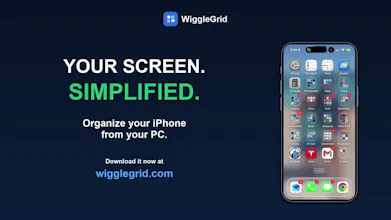
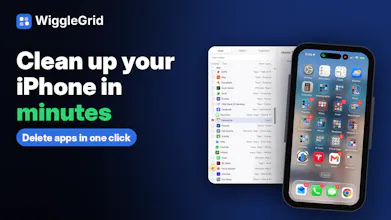
See every iPhone Home Screen page and the Dock side by side on your Windows PC. Drag apps between pages and folders, rename folders, send apps to the App Library or delete ones you don't use, then review the changes and apply them over USB in one step. A snapshot is saved first, so one click puts your old layout back. No jailbreak, no iCloud, no Apple ID password. Free compatibility check, then $19.99 once.



Free Options
Launch Team / Built With


AWS Startup AdvisorPersonalized AWS guidance that meets you where you’re already building
Promoted
@kjdalpor I have tried to use the app. I downloaded the Apple Devices and installed from the Microsoft store. I did install it. Now I am stuck on the "One free download from Apple" screen. I have tried to restart the app, and I have clicked refresh in the app. No matter what I do the app does not leave the Apple download screen. Any tips?
OS: Win 11 (26200.9448)
iPhone: 17
iOS: 27.1
@andrew_brodsky
Hi Andrew,
Thanks for reporting this. You did everything right; it was a bug on my side. WiggleGrid didn't recognize the Microsoft Store version of Apple Devices. Version 0.1.4 fixes that.
To get it:
Open WiggleGrid and click Install and restart when it offers the update, or download it again from
https://wigglegrid.com.
Plug in your iPhone, unlocked. Tap Trust if it asks.
For your trouble, here's a free license. In WiggleGrid, click Buy — $19.99 one-time, enter code BRODSKY at checkout, and submit. It comes to $0, and WiggleGrid unlocks on your account. Lemon Squeezy will email you a receipt; there's nothing else to download.
I'd really appreciate your feedback once you've tried it: what worked, what was confusing, and what you'd want it to do.
Thanks, Kevin
@kjdalpor Thanks Kevin! I really appriciate it. I did as you instructed and it worked perfectly in with iOS 27 beta 4
@andrew_brodsky Thanks so much, Andrew! Really glad it's working, and thanks for being one of the first people to try WiggleGrid and for reporting the issue. That's exactly what helped me fix it fast. Since you're on the iOS 27 beta, let me know if anything changes after the next beta update. Any feedback is very welcome!
Hi Andrew - Checking now. I'll be back with you very soon.
@kjdalpor I think the answer is it's looking for the Apple software AND a compatible phone to be connected. I am sure an iPhone 17 is supported but not one running iOS 27.2 beta 4.
I have been waiting for this forever! I need this so badly.