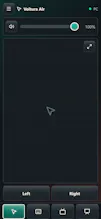
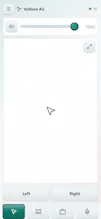
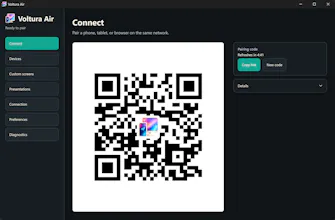
Voltura Air turns any phone, tablet, or touch browser into a customizable Windows 11 remote. Pair with a QR code, create custom control screens, and use a trackpad, keyboard, presentation controller, Kodi and YouTube remotes, dictation, text transfer, and practical PC actions. Unlike many remote apps, it requires no app-store installation, account, subscription, or cloud relay. It runs locally over your Wi-Fi or LAN—and it’s free and open source.
No reviews yetBe the first to leave a review for Voltura Air
Maker
📌
Hi Product Hunt — I’m Joakim, the developer of Voltura Air.
I built it because I wanted one reliable way to control my Windows PC from a phone or tablet without installing another mobile app, creating an account, or routing commands through a cloud service.
It started as a simple wireless trackpad, but gradually grew around real situations where I needed more: typing from the couch, controlling Kodi and YouTube, running PowerPoint presentations, sending text to the PC, adjusting volume, and performing practical Windows actions.
Voltura Air now combines those tools in one browser-based remote. Pairing takes place with a QR code, communication stays on the local Wi-Fi or LAN, and each paired device can have its own permissions and settings. The project is free, open source, and has no subscriptions or locked features.
I’m continuing to improve it and would particularly appreciate feedback on the onboarding experience, remote layouts, and which Windows control use cases should be added next.