Vimkey

Vimkey

Use the keyboard control browser

93 followers

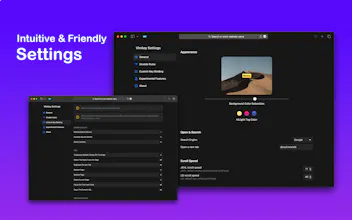
Use the keyboard to control the browser, navigation, scroll, open a new page, trigger click button, etc. reduce your reliance on the mouse & trackpad.
Vimkey gallery image
Free
Launch Team
AssemblyAI
AssemblyAI
Build voice AI apps with a single API
Promoted

What do you think? …

Tazo Kwon
I really really need something like this. I check if VIM keymap is supported in all code-related services. Huge thanks for your work. Congrats on your launch 🚀 OK, I gonna press "Comment" button with f-bv :)
Tazo Kwon
Hey, do you plan to support drag-and-copy action in future? It's very great to move quickly and hit the button with keyboard, but I hope we can copy text via Vimkey!
Tazo Kwon
OK. I'm big fan of this product. Another request :) You will know "Saved page" in the result of Google search. However, I can't cancel after I click the dropdown button for "Saved page". Do you have any idea?
Haojen
@tazo1 Yeah, great idea, the feature will be added to my To-do list.
Haojen
@tazo1 Saved page? Do you mean ctrl + s or command + s saved current page screenshot?
Tazo Kwon
@haojen Perfect! It was needed when trying to copy code snippets at Stack Overflow.
Serhii Boltryk
Oh, I had an experience with other extensions which provide vim-like interaction with the browser. Need to say, It's much more productive than using mouse or touchpad. Congrats on the launch!
Ryan Hoover
I used to work with an engineer that would never touch his mouse, using the keyboard to navigate the web. I'm not sure what tool or settings he used at the time. Curious to hear from people that do this. Do you find it dramatically more efficient?
Haojen
@rrhoover It does increase efficiency, but some people may need time to get used to it. if you have multiple monitors switching between them, using the keyboard control will be more efficient
Yiğit Konur
@rrhoover It looks like quantum physics before starting to work on it, but you can do it with a keyboard that supports mouse keys (UHK v2 or any software), and a keyboard controlling app (Shortcat, Homerow, and Wooshy). I'm more productive and focused since I don't switch contexts so often.
Rishabh Kanojiya
Congratulations on the launch 🚀. Excellent work team
Mukesh Singh
congrats on launch...
Gagan Prajapati
Nice is nice. Congratulations on the launch
Shushant Lakhyani
Oh wow, this is super innovative. Congratulations on the launch!
123
Next
Last