
Vidleaf
Turn YouTube videos into notes you can cite
2 followers
Turn YouTube videos into notes you can cite
2 followers
Find the line you need in a YouTube or Bilibili video. Search captions, check timestamps and export selected quotes as TXT, SRT or Markdown. Add AI summaries, Chinese-English translation or audio transcription. Try caption reading without signing up.

Free Options
Launch Team / Built With


AWS Startup AdvisorPersonalized AWS guidance that meets you where you’re already building
Promoted
Hi everyone, I'm the solo maker of Vidleaf.
Vidleaf is for the moment when you remember an idea from a long video but need the exact words and a source for your notes.
A simple way to try it:
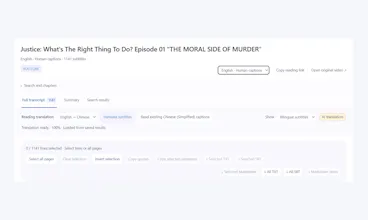
Open an example on the homepage, or paste a YouTube or Bilibili link with available captions.
Search for a phrase and click its timestamp to check it against the original video.
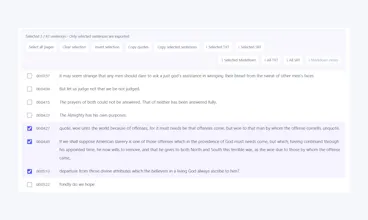
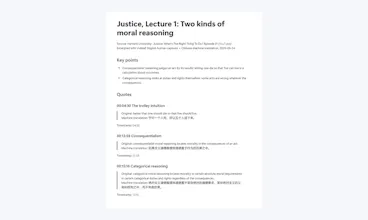
Select the lines you need and export them as TXT, SRT or Markdown, with timestamps.
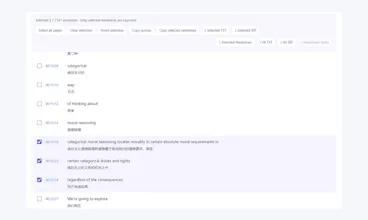
You can also use AI summaries, Chinese-English translation and speaker filtering, or upload your own audio for transcription. Existing captions are used first; transcription is a separate choice that shows estimated usage before you confirm.
Free to try: guests can read captions without signing up, with a daily limit. Free accounts get unlimited available-caption reading, 30 transcription minutes and 10 AI tasks each week. Optional one-time purchases start at US$1.99, with no subscription.
Automatic captions and AI output can contain errors, so check the source before citing a passage.
What would you use this for: lecture notes, interview quotes or bilingual study? Try it with a video you know and tell me which step feels awkward.