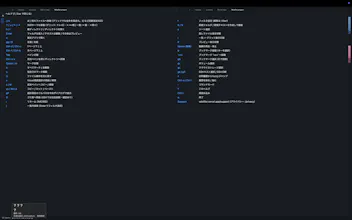
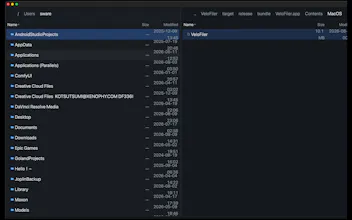
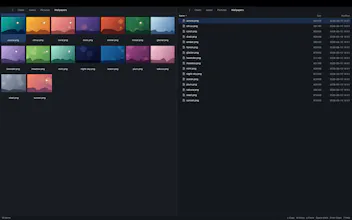
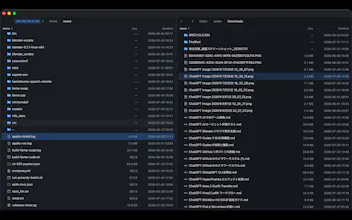
VeloFiler is a keyboard-first, dual-pane file manager for macOS, built in Rust on GPUI for instant startup and smooth rendering. Navigate with Vim-style keys, preview images, code, Markdown, PDF, video and Office documents without opening another app, and manage remote servers over SSH/SFTP right next to your local files. Stop clicking through folders — fly through them.
Congrats on shipping! The Mac App Store part is what caught my eye tbh. A file manager needs to see everything and the sandbox really does not want you to, so getting a dual-pane manager through review sounds like the least fun part of the whole build haha.
What does that feel like for the person using it, do they get a permission prompt for every folder the first time or did you find a way around it? The Mac apps I work on go direct download partly to dodge exactly this, so I'm curious whether the App Store was worth the fight.
Report
Hunter
Thanks! VeloFiler asks for access when you choose a folder, then uses macOS security-scoped bookmarks so you don’t get prompted for every navigation. The App Store route was definitely harder, but it was worth it for a trusted native install.
the built-in SSH/SFTP panes are the feature that'd actually get me to switch, since jumping between Finder and Transmit for the same task is exactly the friction you're describing. how are the server credentials handled though, especially given the Mac App Store sandbox constraints Lisa mentioned below - are they stored in the system keychain, or is it key-based auth only, and does the sandbox let you read an existing ~/.ssh/config at all
Report
Hunter
VeloFiler doesn’t store SSH passwords or private keys. It uses your OpenSSH configuration with SSH-agent or key-based authentication, while macOS permissions control access to the relevant SSH files. Your credentials stay on your Mac and aren’t sent to our servers.



Softorino 💻📲
Congrats on shipping! The Mac App Store part is what caught my eye tbh. A file manager needs to see everything and the sandbox really does not want you to, so getting a dual-pane manager through review sounds like the least fun part of the whole build haha.
What does that feel like for the person using it, do they get a permission prompt for every folder the first time or did you find a way around it? The Mac apps I work on go direct download partly to dodge exactly this, so I'm curious whether the App Store was worth the fight.
Thanks! VeloFiler asks for access when you choose a folder, then uses macOS security-scoped bookmarks so you don’t get prompted for every navigation. The App Store route was definitely harder, but it was worth it for a trusted native install.
Dial
the built-in SSH/SFTP panes are the feature that'd actually get me to switch, since jumping between Finder and Transmit for the same task is exactly the friction you're describing. how are the server credentials handled though, especially given the Mac App Store sandbox constraints Lisa mentioned below - are they stored in the system keychain, or is it key-based auth only, and does the sandbox let you read an existing ~/.ssh/config at all
VeloFiler doesn’t store SSH passwords or private keys. It uses your OpenSSH configuration with SSH-agent or key-based authentication, while macOS permissions control access to the relevant SSH files. Your credentials stay on your Mac and aren’t sent to our servers.