
Varelyo
AI design in React. Components, design system grow with it
40 followers
AI design in React. Components, design system grow with it
40 followers
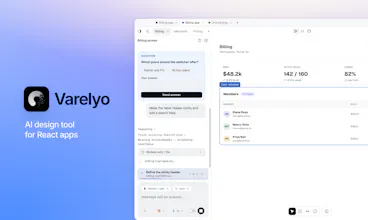
Design your React product, not another mockup. Varelyo is a local-first agent harness for Claude Code and Codex. It guides AI to design the product and create, reuse, and validate React components, variants, tokens, and the design system as it grows. Code stays the source of truth, with no canvas-to-code handoff. Use your existing Claude Code or Codex CLI subscription no extra AI subscription needed. Then add your business logic.



Free Options
Launch Team / Built With


Framer AI AgentsDesign and publish professional sites with AI
Promoted
Hey Product Hunt 👋 I’m Chris, the maker of Varelyo.
I started building it because I kept running into the same problem with AI design tools.
Making a good-looking screen is easy. The annoying part comes after: rebuilding it in React, turning repeated UI into actual components, sorting out tokens, removing duplicates, and trying to keep the design system consistent.
It gets even more frustrating when you already have a product. You have Buttons, Cards, variants, spacing rules, tokens and the AI still decides to invent its own versions.
I wanted to get rid of that whole handoff.
The usual flow looks something like:
design → mockup → handoff → rebuild in React → clean up components → fix the design system → add business logic
With Varelyo:
design the product → React components + tokens + design system grow with it → add business logic
Code stays the source of truth. There’s no separate canvas that later needs to be translated into React.
Under the hood, Varelyo acts as an agent harness around Claude Code and Codex. It doesn’t just send them a prompt it gives them the structure, context, and rules for how the UI system should be built.
That includes deciding when to reuse or extend a component instead of creating another one, keeping variants and component APIs structured, organizing design tokens, and validating the changes as the product evolves.
The idea is to end up with more than a good-looking screen. You get a React UI with a component system and design system behind it that you can actually continue building on.
You can start from scratch or work directly in an existing React project.
Varelyo is local-first on macOS and uses the Claude Code or Codex CLI subscription you already have, so there’s no separate AI subscription or provider API setup inside Varelyo.
The goal is simple: spend your time thinking about the product and the UI, while Varelyo takes care of keeping the system behind it structured and consistent.
I’m curious if other people building React products run into the same problem. If you try Varelyo today, tell me where the workflow still gets in your way I’ll be around and reading everything.
@chrisvacarciuc This hits a very real pain point for me as developer. AI generating a "nice-looking" UI is the easy part - getting it to actually respect and evolve your existing components and design system is where things usually get messy. Really cool approach! Get luck!
@alex_pithly Thanks, really appreciate it! That’s exactly the problem I built Varelyo to solve.
Does Varelyo generate visual previews as it builds components?
@naimz Yes you can preview all generated components and their available states. They also appear in the ui kit editor, where you can inspect and refine them.