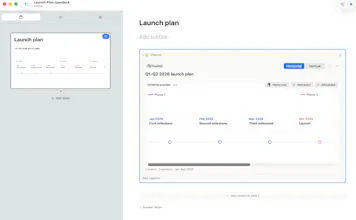
A native Mac presentation app where you focus on what you're saying. Pick a content type, type your content, and Typedeck composes the layout, sizing, and theme automatically. New: Diagram Studio - flowcharts, timelines, and org charts with zero fiddling.
No reviews yetBe the first to leave a review for Typedeck
Maker
📌
Hi Product Hunt! I'm Michael, and I built Typedeck because I kept watching smart people lose hours nudging boxes around in slide software.
Typedeck flips the workflow: you choose what kind of content each slide holds (text, table, chart, code, quote, diagram...), type the content itself, and the app does what a designer would do - reads the density of your content and picks layout, sizing, and spacing to match. Same content always produces the same slide. No blank-canvas paralysis, no 40-point checklist before you can hit present.
Today's release adds Diagram Studio: instead of learning diagram syntax, you say what you want to show - a process, a timeline, a hierarchy, a sequence, a decision, a plan - and get a structured editor built for exactly that diagram.
The details people usually ask about:
- Native Swift/SwiftUI Mac app, small and fast. Not Electron.
- Exports to PowerPoint, PDF, Google Slides, HTML, and images.
- Imports from Markdown, Notion, and Obsidian.
- One-time purchase ($29.99) with a 7-day free trial. No subscription.
I'd genuinely love to hear where it falls short - I read everything.