
Timely
Pull your calendar availability in 3 seconds
244 followers
Pull your calendar availability in 3 seconds
244 followers
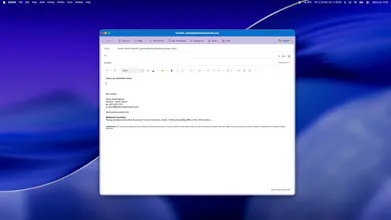
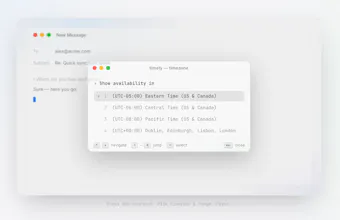
Pull your availability from connected calendars, with a single keystroke, within whichever timezone suits your recipient best. No opening the calendar, no timezone maths, and it handles multiple execs too. It's completely private and sits locally on your machine, connecting only to Outlook and Google.


That is a good idea, but how do I integrate it into the email, or how do I set it up as a shortcut?
@johnnvho Thank you! Download the app (mac or windows) - then connect your calendars. Hit CMD + Shift + A (you can change this in the settings) and go through the steps on the terminal style window!
Keychain is the right call. The gotcha we hit doing client-side token storage with no backend was Google rotating the refresh token on some refreshes, so if you don't persist the new one atomically before the old is invalidated you can lock the user out with only a full re-auth to recover. Do you handle that rotation, and do multiple Google accounts get separate keychain entries or share one?
This is the boring problem I hit every week — Calendly feels like homework for the person I'm inviting, so a plain-text 'here are my slots' paste is exactly the day-one workflow I'd want. Does it pull from more than one calendar at once (work + personal) so it never offers a slot I'm secretly busy in, and when it converts to the recipient's timezone is that baked into the pasted text or does the reader have to trust I did the math? Also curious whether the pasted times come out as plain text or clickable.
Love the local-only approach for a scheduling tool like this. One thing that would make it even better for my workflow is adding a quick way to insert booking links directly into email replies, maybe with a keyboard shortcut that grabs the snippet and drops it into Gmail or Outlook without leaving the message window.
@tarcan_hak99601 That's a great suggestion. Thank you!
Pulled my schedule in seconds without opening the calendar app and the timezone swap for my colleague in Tokyo just worked. Nice that nothing leaves my machine too.
@brahimiperkej1 You got it!
One thing that could make Timely even more useful is integrating with other calendar services like iCloud or Exchange, not just Outlook and Google. Would love to see that in a future update.
the calendly comparison you made is the right framing, calendly puts the work on the other person and plenty of clients read that as impersonal. curious about the EA use case you mentioned, when an assistant pulls availability on behalf of a principal, does the output text make that clear to the recipient, or does it read exactly like the principal typed it themselves