
Timely
Pull your calendar availability in 3 seconds
244 followers
Pull your calendar availability in 3 seconds
244 followers
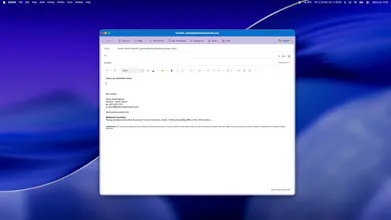
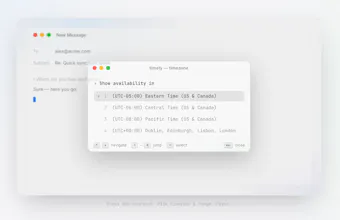
Pull your availability from connected calendars, with a single keystroke, within whichever timezone suits your recipient best. No opening the calendar, no timezone maths, and it handles multiple execs too. It's completely private and sits locally on your machine, connecting only to Outlook and Google.

Free Options
Launch Team / Built With


Dropbox SignSimple, secure eSignatures for the way your team works.
Promoted
@james_ketteringham buffers between meetings is exactly the detail that separates this from just reading raw calendar gaps. good to hear it's already handled, that's the thing that usually gets bolted on later as a v2 feature.
Handling time zones automatically is probably the biggest win here. That's one of those repetitive tasks that's easy to get wrong and never feels worth doing manually.
@varun1jan Completely agree - before this tool I've made a couple of errors in timezones and it always results in me looking a little silly, and spending extra time having to go back to the person and correct my availability.
@james_ketteringham , the time zone juggling is the exact part of scheduling that quietly drives me up the wall, so seeing it handled for me is a real relief.
@emmanuel_costa5 Exactly the reason I built this! It was such a faff.
The fact that it runs locally and only reaches out to Outlook and Google is such a thoughtful choice, feels respectful of privacy without sacrificing convenience.
@rojintahanjgqn Thank you! I initially built this for Executive Assistants (given I'm well connected in this space) - and for them, it's super important that they're protecting their executive/principals privacy, given many of them are dealing with highly sensitive engagements.
Finally something that nails the timezone problem without making me open another tab. The single keystroke shortcut feels right and it stays local, which is a nice touch.
@masal1468301 Thank you!
I will be downloading this!
@maria_wall_ball Thank you! Don't forget to use the code for 3 free months! Code: PH3MONTHS
I work across EST and IST and a tool like this would be so useful!