I signed up for the free trial in September 2026. My experience with ThumbnailCreator's billing and customer support has been extremely disappointing.
I believed I was still within the trial period and subsequently cancelled/deleted my account and removed my card on September 28. Unknown to me at the time, a charge had already been initiated against my card on September 27. The transaction only reflected/cleared two days later.
I contacted ThumbnailCreator repeatedly to ask why I had been charged, to clarify the status of my trial/subscription, and to request a refund. I received no response whatsoever.
I then went further and contacted Aleric Heck and Greg Kopyltsov directly, who are associated with the company. Neither responded.
I can no longer access my account or billing information because I deleted the account.
I am now having to dispute the charge through my bank because ThumbnailCreator has failed to respond to repeated attempts to resolve the matter directly.
This is extremely poor customer service. If a company charges a customer during what the customer understands to be a trial period, the very least they should do is respond when that customer repeatedly asks for an explanation and a refund.
I'm posting this so other creators are aware of my experience before signing up.


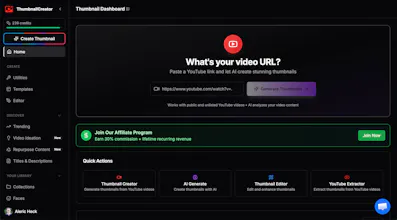

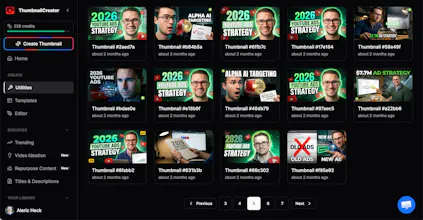



After growing a YouTube Channel, AppFind to over 600k Subscribers & my personal brand channel to 83k subscribers, I've learned a lot about thumbnail psychology, so I figured I'd drop some of the biggest insights we've learned from analyzing thousands of thumbnails across my channels, our agency clients & 8-figures in YouTube ad spend 👇
🎯 The 3-Element Rule: The best thumbnails have 3 elements MAX - usually a face (with strong emotion), a key visual, & 2-4 words of bold text. More than that = visual overwhelm = no click.
🎯 High-Contrast Color Strategy: YouTube's interface is mostly blue/white. Use 1-2 high-contrast colors (yellow + black, red + white) that POP against that backdrop. Can lift CTR 20-40%.
🎯 Curiosity > Clarity: Stop trying to "summarize" the video in your thumbnail. Your job isn't to explain - it's to make someone NEED to click to find out. Tease, don't tell. Show the surprise, not the setup.
🎯 Emotion Over Aesthetics: A "perfect" thumbnail with a flat expression beats a "rough" thumbnail with a powerful emotion every time. Faces with strong emotion = clicks.
🎯 The 3-Second Test: Look at your thumbnail for 3 seconds at mobile-size. Can someone instantly understand the value? If not, simplify.
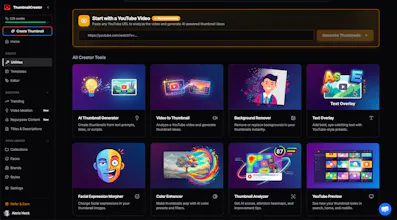
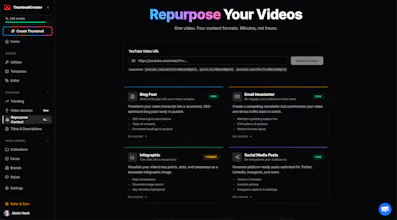
These are the EXACT principles built into how ThumbnailCreator's AI generates thumbnails - so you don't have to manually think about each one.
What thumbnail strategies have YOU found work best? Would love to hear what's working for everyone! 👇
This tool hits a real bottleneck for me.
Thumbnails have always been slow... going back and forth with designers, making multiple revisions, and still not quite aligned with the vision that I had in mind. It kills momentum.
If this tool actually speeds up iteration while keeping it on brand and tied to the video, that's a big unlock.
I'm excited to test this on my next Youtube uploads!
@newton_zheng Thanks so much! Very glad to hear you like ThumbnailCreator & that it solves those bottlenecks for you!
That's exactly why we built the tool, with content creators like you in mind! 💯
I hope you continue to find it valuable as you grow on YouTube!