
THR3EZY
Create cinematic 3D reels, right from your iPhone
17 followers
Create cinematic 3D reels, right from your iPhone
17 followers
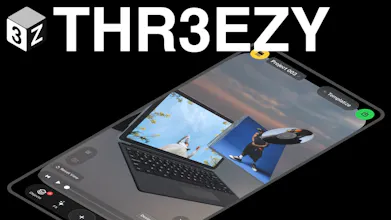
THR3EZY turns your iPhone into a pocket 3D motion studio. Create cinematic product videos, animated reels, and social content using editable 3D scenes, objects, text, camera moves, materials, and effects. Start from scratch or remix templates to see how they work, replace media, customize every detail, and export vertical videos, all directly on your phone, without AI credits or an internet connection.


the fact that this runs entirely offline and skips the AI credits nonsense is honestly a breath of fresh air, and the remixing templates angle feels like such a smart on-ramp for people who aren’t 3D artists. really well thought out.
@berra1318314 thank you! Yes I didn’t want to create one more generative AI thing. I’d rather have people using it without this constraint. And it will stay that way. I’m only using AI to create the features and build the app but I don’t users to have to experience that.
the offline-first angle is huge for me, but exporting seems to lock you into vertical 9:16 only. would love to see a square 1:1 option for feed posts without having to crop in another app afterwards.
@hiranurldpa Ok! I was focusing mostly on Reels, but I will make it happen!
honestly this looks really solid, especially the offline angle. one thing i'd love is a built in way to sync projects across devices so i can start editing on my phone and finish on my ipad without losing the camera moves, would make longer edits way less painful.
@azrailenkmjzh sounds good, will add this to my list of features to add. For now I didn’t force people to create an account to make this possible and because of costs but I will eventually do it. Also just one thing, you can export your template by sharing it, it will create a config link that you can import afterwards on your iPad, you will lose the media but the scene will be exactly the same
the offline-first approach is genuinely cool, would love to see a simple keyframe timeline view for fine tuning camera moves since scrubbing through motion previews feels a bit guess and check right now. that would make the tool way more powerful for anyone serious about product videos
@zilansakao0spr interesting! I will keep that in mind for the camera and improve it! Right now I tried to keep it very simple but I hear you! Thank you 🙏🏾
Finally tried a template with my own product shots and the camera moves felt surprisingly smooth for something made on a phone. Export was fast and I liked not needing an internet connection.
@resulboncokqfx Amazing! I will keep improving it and add more models and features/templates
Finally something that actually lets me mess with 3D scenes on my phone without grinding through a clunky app. The template remixing is a nice touch, made it easy to see how the camera moves were built before tweaking my own.
@bnyaminazir7fq Someone mentioned about keyframes animations for the Camera, I will see if I can make something more advanced for the camera but still simple to use hopefully!