Launched this week

TeX Side Preview in VSCode
LaTeX Preview extension for VSCode with Overleaf Sync
2 followers
LaTeX Preview extension for VSCode with Overleaf Sync
2 followers
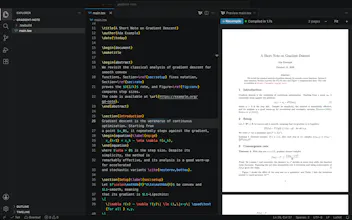
Overleaf-style LaTeX editing inside VS Code. Your source is on the left and the PDF on the right. Your project can sync both ways with Overleaf. Save the file and the PDF re-renders in place, double-click the PDF to jump to the source, links work, text can be copied.


Free
Launch Team / Built With


Framer AI AgentsDesign and publish professional sites with AI
Promoted
