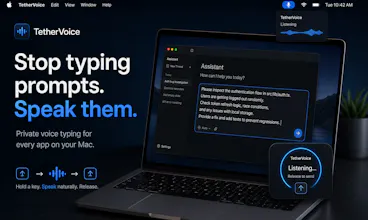
TetherVoice turns your voice into text anywhere on macOS. Hold a shortcut, speak, and release ā your words appear in Cursor, Claude, Slack, Terminal, or any text field. Fast local transcription, developer-friendly workflows, and no cloud required.
Hey Product Hunt š
I built TetherVoice because I was spending more and more time writing long prompts to coding agents ā Cursor, Claude Code, ChatGPT, Codex ā and eventually realized something pretty obvious:
I can speak much faster than I can type.
The problem was that I didn't want another voice app I had to open, dictate into, and then copy from.
I wanted voice to work like a keyboard.
So TetherVoice is intentionally simple:
šļø Hold a shortcut
š£ļø Speak naturally
āØļø Release
ā” The text appears wherever your cursor already is
It works across macOS ā editors, terminals, browsers, Slack, Linear, email, AI tools, and basically any text field.
I also wanted it to be something I'd actually trust running all day, so local transcription is a major part of the product. You can run models directly on your Mac instead of sending every recording to a server.
TetherVoice is especially built for people who spend their day talking to AI and writing technical text, but I'm curious to see how everyone else uses it too.
This is still early, and I'd genuinely love feedback on:
⢠where dictation still feels slower than typing
⢠apps where insertion doesn't behave perfectly
⢠technical vocabulary it struggles with
⢠features you'd want before using voice as your default input
Thanks for checking it out ā and feel free to be critical. That's much more useful to me than polite feedback. :)