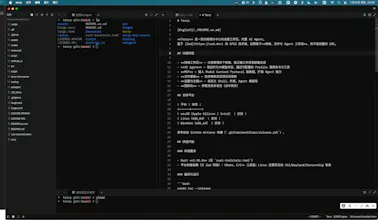
Terry is a terminal-first desktop workspace with a built-in AI agent. It is built on Zed’s GPUI stack, but focused on terminals, files, and agent workflows — not as a full IDE.
Viktor.comAn AI coworker that actually does the work
Promoted
Maker
📌
My daily work is terminal-centric: running builds, reading logs, hopping into containers, poking through files. I spend more time in the terminal than anywhere else.
But the tools around it never felt right. A full IDE treats the terminal as a second-class citizen tucked into a corner — and it's a heavy thing to launch just to run a few commands. A bare terminal emulator, on the other hand, has its own gaps: no way to organize multiple sessions, no file tree, no decent image support, no persistence across restarts.
I kept asking: why isn't there something where the **terminal is the main character**? A focused, lightweight workspace built around it — not an IDE with a terminal attached.
## The Problem: The Terminal Deserves Better Than "Good Enough"
Modern terminals have been stuck for a long time. The problems I kept running into:
- **No organization.** Ten sessions, all jumbled in tabs, no way to see them side by side, no remembering which directory each one was in after a restart.
- **No modern protocols.** Images in the terminal felt like a distant dream; the keyboard protocol was frozen in the 1990s; copying rich content or paths across the terminal and other apps was clumsy.
- **No context.** You live in the terminal, but your file browser, your notes, and your helpers live somewhere else — context gets lost in the switching.
Terry is my attempt to build the workspace I wanted: the terminal at the center, with everything else arranged around it.
## The Evolution: From "It Runs" to "It's Great"
Building this was a constant exercise in answering: what should a terminal workspace actually feel like?
**Phase 1: Lay the foundation.**
I started from the GPUI framework and Zed's workspace/terminal infrastructure, and made the basics solid — sessions you can group, layouts you can tile, state that survives restarts.
**Phase 2: Polish the terminal experience.**
This was the heart of it:
- **Images in the terminal** — kitty graphics and sixel support, so `chafa`, `viu`, or `icat` just work, including animated GIFs.
- **Modern protocols** — kitty keyboard protocol (CSI u) and OSC 52 clipboard read/write.
- **Link jumping** — `Ctrl+Shift+E` lists every visible link (URLs, file paths, OSC 8) for keyboard-driven navigation.
- **Auto-tiling** — kitty-style layouts (manual / tall / grid / stack) for managing multiple sessions.
**Phase 3: Bring the file panel and helpers alongside.**
A project file tree beside the terminals, so you don't have to leave the terminal view to find files. A sidebar agent and MCP support round out the workflow — useful, but deliberately just one part of the setup rather than the headline.
**Phase 4: Cross-platform and engineering.**
macOS / Linux / Windows support, Chinese & English localization, and automated releases via GitHub Actions — including cross-compiling the x86_64 macOS build from Apple Silicon, since no Intel Mac was available.
## Why Give It a Try
- **Terminal-first**: grouped sessions, kitty-style auto-tiling (manual / tall / grid / stack), session restore
- **Images in the terminal**: kitty graphics + sixel, works with `chafa` / `viu` / `icat`
- **Modern protocols**: kitty keyboard (CSI u), OSC 52 clipboard, one-key link jumping
- **Files beside terminals**: browse the project tree without leaving the terminal view
- **Lightweight**: built around terminal + file workflows, not another all-in-one IDE
- **Three platforms**: macOS (Intel & Apple Silicon), Linux, Windows
If the terminal is where you actually live, Terry might be the workspace you've been looking for.