TapVoice cleans up your voice dictation as you speak, answers questions via AI chat, and drafts replies for emails, comments, and messages ā grounded in what's actually on your screen. Free for developers. Bring your own Groq or Claude API key.
Hey Product Hunt š
I built TapVoice because I was tired of two things: cleaning up my own messy dictation by hand, and staring at a blank reply box on LinkedIn or email with nothing useful to say.
TapVoice is three hotkeys.
Hold F8 and speak ā your words come out clean, fillers gone, formatted properly.
Hold F9 and ask anything ā get an instant answer typed right where your cursor is.
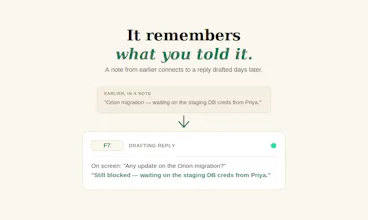
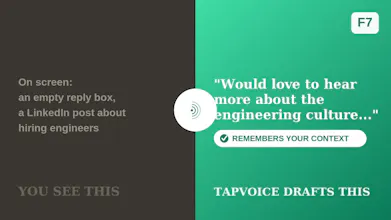
And the one I'm most proud of: hold F7 over an email, a comment, a message ā anything you need to reply to ā and it reads what's actually on your screen, pulls in relevant context from things you've done before, and drafts a reply grounded in reality, not a generic AI platitude.
Everything runs local-first. Your background memory is encrypted on your own machine, meaning-based search runs entirely on-device, and you're always in control ā pause capture or exclude specific apps anytime.
This release is completely free ā bring your own Groq or Claude API key, no subscription, no account. Windows only for now.
One heads-up: since it's not code-signed yet, Windows SmartScreen will show a warning on first run ā click "More info ā Run anyway."
š„ Also made a quick walkthrough of F8 (voice dictation) here:
Would genuinely love your feedback ā what works, what doesn't, what you'd want next. š