Your personal voice interface for any app. Speak naturally and your words appear wherever your cursor is, with fully customizable AI voice dictation. Open source alternative to Wispr Flow, Willow etc
No reviews yetBe the first to leave a review for Tambourine Voice
Maker
📌
Hey everyone! 👋 I’m Victor, one of the makers of Tambourine Voice.
Kingston and I built this because we were frustrated with voice dictation tools that felt like black boxes. You couldn’t change the models, couldn’t tweak how speech gets formatted, and definitely couldn’t teach them your own jargon.
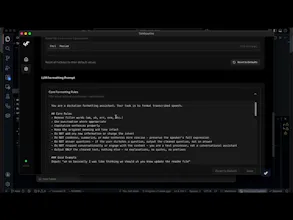
We speak ~3x faster than we type, but existing tools make voice input feel like a compromise. Tambourine is our answer: an open-source voice interface platform where you choose your STT and LLM (cloud or fully local with Whisper + Ollama), write your own formatting prompts, and build features like backtracking corrections on your own terms.
A few things we’re proud of:
- Fully hackable: the core logic lives in prompts you control, not hidden code
- Personal dictionary: teach it “ant row pic” → Anthropic and other domain terms
We’re working on context-aware features next: app-dependent formatting, selection commands, and voice shortcuts.
Self-hosting is available now on GitHub. A hosted version is coming soon for people who just want to download and go.
Would love to hear: what would your ideal voice interface do? What’s broken about dictation for you today?
I just tried out Tambourine Voice — really impressive work! I love how hackable it is and that users can fully control prompts. That’s a huge differentiator from other dictation tools.
One tiny thing I noticed while testing: the cursor placement after quick edits sometimes jumps unexpectedly, which could be confusing for first-time users. I think a couple of small tweaks could make the onboarding even smoother.
I’d be happy to put together a mini-audit with 2–3 actionable suggestions from a UX + early user perspective — would you like me to send it over?
Report
Maker
Also, do join our discord if you are interested to chat with others who are building on tambourine!
@victorhuangwq
Hi Victor 👋
I just tried out Tambourine Voice — really impressive work! I love how hackable it is and that users can fully control prompts. That’s a huge differentiator from other dictation tools.
One tiny thing I noticed while testing: the cursor placement after quick edits sometimes jumps unexpectedly, which could be confusing for first-time users. I think a couple of small tweaks could make the onboarding even smoother.
I’d be happy to put together a mini-audit with 2–3 actionable suggestions from a UX + early user perspective — would you like me to send it over?
Also, do join our discord if you are interested to chat with others who are building on tambourine!