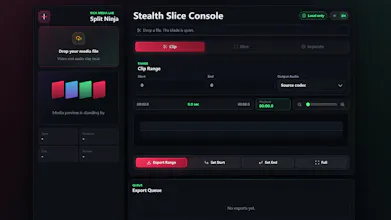
Split Ninja is a free local-first media toolkit for cutting videos, extracting audio, muting clips, and splitting scenes directly in your browser. Your files stay on your device, with fast export and precise re-encode modes.
Hey Product Hunt 👋
I built Split Ninja because I often needed a small, fast way to trim clips, extract audio, or remove sound without opening a heavy editor or uploading private media to a server.
Split Ninja runs directly in the browser. You can:
- Cut videos
- Extract audio from video
- Mute video clips
- Split footage by scene changes
- Choose fast export or precise re-encode mode
The main idea is simple: everyday media tasks should feel lightweight, and your files should stay on your device.
I’d love feedback from creators, indie hackers, educators, and anyone who works with screen recordings or short video clips. What workflow should I improve next?
Report
local video tools in the browser is a fun constraint — copy vs re-encode at cut points is where most tools quietly cheat. does fast export snap to keyframes or re-encode just the edges?
Report
No reviews yetBe the first to leave a review for Split Ninja
Split Ninja
local video tools in the browser is a fun constraint — copy vs re-encode at cut points is where most tools quietly cheat. does fast export snap to keyframes or re-encode just the edges?