
Snapix
Every Mac screenshot, already on your clipboard
9 followers
Every Mac screenshot, already on your clipboard
9 followers
Snapix is a menu bar screenshot app for your Mac. Every capture is copied for you, and you can annotate it, blur private details, or copy its text.


Free Options
Launch Team / Built With


Atlassian LoomHit record, hand off to AI
Promoted
Hey Product Hunt! I built Snapix because macOS screenshots always cost me an extra minute. The built-in tool drops a file on my desktop, then I have to open it, copy it, and only then paste it where I actually needed it.
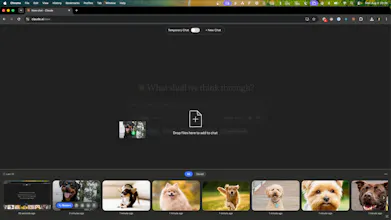
Snapix fixes that: every capture goes straight to your clipboard, ready to paste into Slack, a ticket, or an email. It also adds a full annotation editor (arrows, shapes, auto-numbered steps, plus blur and pixelate for anything sensitive), one-gesture text extraction so you never retype what's already on screen, and a history strip of recent captures.
Everything is processed locally on your Mac, so nothing leaves your machine. There's a 14-day free trial, no credit card required.
Would love your feedback, especially on the annotation editor and what's missing from your own screenshot workflow!
macOS already puts screenshots on the clipboard with Ctrl held, so the interesting part has to be what happens after. Does it keep a history you can reach back into — the shot from twenty minutes ago that you've since overwritten — or is it strictly the most recent one, better placed?
Asking because the failure I actually hit isn't getting the screenshot to the clipboard, it's taking a second one before I pasted the first.
Hi @ark_y_k, Yes, in Snapix you can press 'ctrl + option + R' and you can see the history of the latest screenshots you've made. And also it's easy to set how many screenshots to keep in history (25 - default, 50, 100 or 200).