SlimDoc

SlimDoc

Compress Files Securely - 100% Local and Private

4 followers

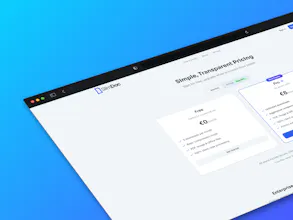
Stop uploading sensitive documents to the cloud. SlimDoc compresses PDFs, Office docs, and images locally on your device using WebAssembly. 100% private, free, and secure.
SlimDoc gallery image
Free Options
Launch Team / Built With
Flowstep
Flowstep
Generate real UI in seconds
Promoted

What do you think? …

Jose Díaz
Maker
📌
Hi Product Hunt! 👋 I’m the maker of SlimDoc. I built this because I was tired of a scary dilemma: I needed to compress a PDF with my passport/financial info, but I didn't trust uploading it to a random cloud server. I used Lovable AI to build the tool. It’s amazing how fast we can now go from 'idea' to 'live product'—what used to take weeks of coding took me days of prompting. This allowed me to focus purely on the privacy and local compression logic. Most 'free' tools harvest your data our put it at risk. So I built a solution that processes everything locally in your browser using WebAssembly. Your files literally never leave your device. What you get: 🔒 100% Private (Serverless compression) ⚡ Fast (No upload/download wait times) 📄 Supports PDF, Word, Excel, and Images I’d love your feedback! Is the compression speed fast, powerful, or efficient enough for your workflow? Let me know!
Marco Parisi

I really appreciate the 100% private, free, and secure approach, but in the multi-device world we live in, it's difficult to use a service like yours. In any case, good luck with your project!

Jose Díaz

Hey @marcoparisidesign, thanks so much for your feedback — really much appreciated!

Would love to understand better why exactly would it be difficult for you to use the service — what's your workflow and what would you need in order to stupidly useful to you?

Thanks again 🙏

Marco Parisi

@joshadp If I save a document on my smartphone, how do I open it when I'm using my desktop?

Jose Díaz

@marcoparisidesign so you mean it would be useful to you to save the document on your phone and that automatically be at your disposal on your desktop? Or what do you need that is different than saving the document on a Dropbox, GDrive or iCloud folder on your phone that automatically becomes available on your desktop?

Or you mean that once you save the document on any of those services, the privacy value disappears?

thanks!

Marco Parisi

@joshadp The solutions I am referring to are definitely cloud-based but privacy-friendly, such as Proton. I don't know if you are familiar with it. Perhaps I have misunderstood how your service works, my apologies. If I need a file that I saved on my smartphone from my desktop, can I open it from there or do I have to send it to myself via Bluetooth? If I can't, then in my opinion there is a practical limitation, and not a minor one. Otherwise, then okay, but I would be curious to understand how file transfer from one device to another works. In conclusion: it's great that your service guarantees file privacy, but it is difficult to use in a multi-device world, as I said before.