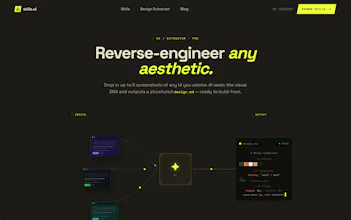
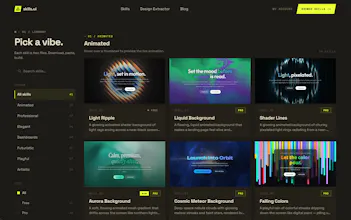
Every app built with AI looks the same — flat cards, gray background, one blue button. Skills UI fixes that. Choose a design style and just drop the skill file into any AI tool and your AI builds with real design direction. Or use the Design Extractor: screenshot any app you love and get a custom skill for that exact look. No components to assemble, no design skills needed. Just paste and ship something that doesn't look AI-built.
Framer AI AgentsDesign and publish professional sites with AI
Promoted
Maker
📌
Introducing Skills UI, a library of design skills for AI builders! I was inspired to build this for myself first because I was struggling with getting the UI design of my vibe coded projects to look nice and not like the typical AI design slop out there.
The problem: Most vibe coders aren't designers and want AI to design their products but without specific direction AI defaults to the same typical design patterns.
The solution: I started making skill files for specific design styles so the AI knows exactly how to make it look right. I figured these would be useful for other vibe coders to use as well, since most of us aren't designers and just want our projects to have a beautiful design without much effort.
I created the design extractor because I was seeing other UI designs that I liked but quickly realized that just giving the AI screenshots as the only reference wasn't working well. Instead you first need to extract the design guidelines from whatever UI you like and give that to AI instead.
So I hope this helps you guys out, and I'll be adding new skills every week. Please let me know what other designs you would like to see on there. I appreciate all the feedback.
Report
No reviews yetBe the first to leave a review for Skills UI