
Sinsubir
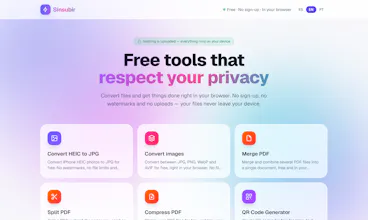
Convert & edit files 100% in your browser
12 followers
Convert & edit files 100% in your browser
12 followers
Convert & edit files 100% in your browser File tools that never upload your files Private PDF & image tools — nothing leaves your device API



tried the pdf merge and it actually finished way faster than i expected, all without anything uploading. honestly the whole no-server thing is the main reason i'd come back to it.
@durmusate3uo Thanks so much! That means a lot.
The "no uploads" approach is exactly why we built Sinsubir. Your files never leave your device, so processing is not only faster but also keeps your privacy intact. We're happy to hear you noticed the difference.
More tools are coming soon, so stay tuned!
honestly this looks great for people worried about privacy. one thing that would be awesome is batch processing for PDFs, like merging or compressing like 20 files at once instead of doing them one by one. would save a ton of time
@nuriyetoplp0p0 Exactly—that was the motivation behind Sinsubir.
Most online tools require you to trust a server with sensitive files. We wanted a different approach: everything runs locally in your browser, so your photos, documents, and personal files stay on your device from start to finish.
Privacy shouldn't be a premium feature—it should be the default.
Finally a file converter that doesn't try to email me or shove me into a paywall after one use. Merge PDF worked instantly on a 50-page doc and nothing left my laptop, which is honestly the dream.
Files never leave your device, that part actually works without me tinkering with anything. Resized a few images and merged a couple of PDFs, it handled bigger files than I expected.
Ran it on a sensitive PDF to test the privacy angle and was pleasantly surprised everything happened locally. Compression was quick and the merged file came out clean with no quality loss.
honestly the privacy angle is great but a batch processing option would be huge, like being able to convert or compress a whole folder of files at once instead of doing them one by one