
SidePanel Buddy
Open any website in chrome side panel
148 followers
Open any website in chrome side panel
148 followers
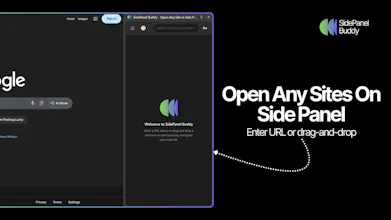
Browse any website in Chrome's side panel alongside your main tab. Your browsing session stays exactly where you left it. Unlike other side panel browsers, SidePanel Buddy automatically saves your last visited page - close the panel, switch tabs, or even restart Chrome, and your page will be right there waiting when you return. Choose your favorite search engine. Quickly switch between Google, Bing, Brave Search, Ecosia, or Yahoo directly from the side panel.





Hey Product Hunt! 👋
SidePanel Buddy solves a problem every Chrome user faces:
🎯 The main feature that sets us apart: True session persistence. Unlike other side panel tools, your browsing session automatically saves - close the panel, switch tabs, restart Chrome, and your page is still there waiting. No more losing that important article or reference page you had open.
Perfect for:
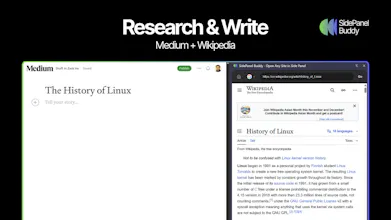
✦ Researchers keeping references visible while writing
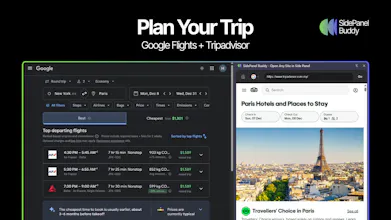
✦ Shoppers comparing products side-by-side
✦ Anyone following tutorials while working
✦ Multitaskers who need multiple views without tab chaos
Plus: Multiple search engines (Google, Bing, Brave, Ecosia, Yahoo), drag & drop links, dark mode, and a clean interface that stays out of your way.
Also check out my other free Chrome tools 👇
Email Buttons - Turn email links into buttons that get clicked
SEO Copilot - Instant on-page SEO analysis in your side panel
Would love to hear your feedback and answer any questions! 🚀
@zack_ho So if I close Chrome and reopen, everything’s exactly where I left it? Even multiple panels open at once?
@masump Great quesiton! I actually never thought of this scenario before, but I just tested it out. Whatever tab you had open last before closing Chrome will be exactly where you left it when you reopen it. So, if you had multiple panels open, the most recently closed on will be the one that's persisted.
Thanks for bringing this up!
Swytchcode
Wow, this is amazing.
But Google has started to roll out multiple views on Chrome. How is it different and adding value?
@chilarai I actually built this before Google started rolling out multiple views, so there is definitely some overlap now. The big difference is still the true session persistence, where your last page always comes back exactly where you left it. Also, SidePanel Buddy adds conveniences like quick search engine switching, which some people find it useful. Anyway, appreciate you giving it a look. Cheers!
Vmaker for Windows
@zack_ho You keep dropping bangers! I just tried it out. It's perfect.
This solves the constant switching between a Chrome tab and another companion page or, tool where either you are writing something or, doing a comparative evaluation... I particularly loved that option to research and write on Medium...
Good luck on the launch!
@dkspeaks Thank you!
How are you handling the dreaded X-Frame-Options / CSP headers? I know a ton of major sites (GitHub, Notion, etc.) explicitly block being loaded in iframes or side panels. Did you find a workaround to proxy them, or is it a 'works where it works' situation?
@anighojkar Great question! I use Chrome's declarativeNetRequest API to strip X-Frame-Options and CSP headers from response headers. This allows most sites, including GitHub and Notion to load successfully in the side panel.
That said, it's not 100% bulletproof. Sites with aggressive bot protection (like Cloudflare challenges) won't pass verification inside the iframe. And ironically, the Chrome Web Store itself blocks embedding regardless of header stripping.
So yes, it's a "works for most sites" situation, but in practice, the vast majority of sites people actually want to browse (social media, docs, news, dev tools) work great.
Recap
Auto-save is such a small detail, but incredibly useful. Love it!
@zhiqi_shi Thank you! Really appreciate it
Simple idea but it works! Great job.
@john_licato Thank you! Really appreciate it