ScreenExport: Effortless Screen Capturing ScreenExport is a browser-based screen recording tool that simplifies the process of capturing presentations, tutorials, and desktop activities. Double Click to open in browser, setup devices and start recording.
Hi 👋 Guys, thanks for checking out Screen Export tool. I really appreciate your time and interest in this.
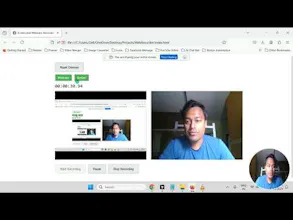
Screen Export is a streamlined Screen Recorder Web App.
Whether you’re presenting, creating tutorials, or using desktop, this tool makes it simple to record your screen, desktop activities, and even your webcam—all in high-quality webm format, instantly ready for download.
Use it directly on your browser, no installation or additional setup required.
Features:
1. Flexible Recording Options: Switch your webcam and screen recording on or off anytime, giving you full control over your captures.
2. Instant Output in webm: Get your recordings instantly in efficient, high-quality webm format, with no processing delays.
3. User-Friendly & Lightweight: Designed to keep things simple and distraction-free, ideal for users of all tech levels.
How To Use:
1. Opening File - Double - Click on the downloaded file to open the same in your preferred browser.
2. Setup Devices - Click on Setup Devices to allow access to microphone and webcam to set up the devices before recording.
3. Start Recording - Enable / Disable webcam or screen during recording as per requirement and record your video on the go directly from browser.




WizzyGen