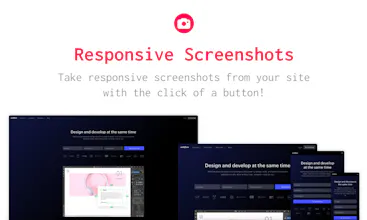
Responsive screenshots does what it says on the tin, lets you take responsive screenshots by simply entering the URL on its page and clicking a button.
@theashtube uBlock seems to do the trick for me for opting out. :) It effortlessly blocks stuff like this.
Report
Maker
@serdar_gungor@kwinten@theashtube Hi thanks for the feedback! I agree there should be an opt-in, I believe the latest version of coinhive supports this, I will look into it. Would you prefer to see ads over a miner that uses n amount of cpu?
Thanks for sharing. How is this different than stayresponsive.com?
Report
Maker
@haroon Hi there! It looks like the tool you provided is mainly intended for checking the responsiveness of ones site.
A couple of differences on first look is the control over devices. This gives you screenshots for you to download as a zip or one by one, and use in e.g. mockups. You can also select multiple devices which are 1:1 emulated like the real devices would, with the correct pixel densities, etc.
Hope this helps to clarify!
Webflow
Beautiful and simple design!
Pros:Excellent way to quickly grab responsive screenshots for sites I've built.
Cons:Would be cool if there was a share feature :)
Read2Me
I tried my website (read2me.online) and it didn't render it perfectly, which means I won't be able to use it.
Pros:Nice sense of design
Cons:Doesn't render my website correctly
Polypane
Noonification
Noonification
Cyber Monday Linkbox
Rocket Money