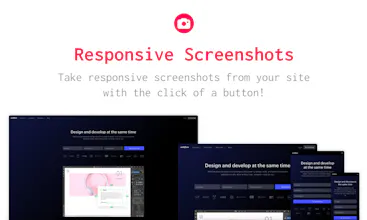
Responsive screenshots does what it says on the tin, lets you take responsive screenshots by simply entering the URL on its page and clicking a button.
No reviews yetBe the first to leave a review for Responsive Screenshots
Maker
Hey folks! I'm Sidney, maker of this tool.
It allows you to grab screenshots from various viewports at once, you can preview them, download them individually, or all as a zip.
Please let me now if there’s any questions or feedback, I’m happy to help.
PS: I’m experimenting with an alternative way to monetize the project by mining monero. Gathering info for a write up on cpu miners and potential implementations.
Edit: Decided to remove the miner for now, as it was buggy for some & the cons outweigh the pros for the time being IMO
@sidneyottelohe it will be cool if this tool can login and test logged-in pages as well too. maybe something similar will work
Report
@sidneyottelohe would be really cool, if you can also create mockups with the devices
Report
If you create a function to directly integrate the screenshot onto several mockups, your website will be the perfect tool. Or maybe try to partner your technology with other websites doing these tasks.
Pros:
It works perfect and simple. So nice for mockup designing. Thanks!!
Cons:
None. Just the miner.js...
Report
Maker
Hi Julian, thanks for the feedback! That's exactly what I intended the tool for, so I'm glad it's proving useful. I like the idea of integrating mockups out of the box, I might add this in a feature update!
Report
It misuses the users browser for blockchain mining.
Pros:
None
Cons:
Currency miner
Report
Maker
Hi there! Thanks for the constructive feedback on the product. Would you prefer seeing ads over using n amount of your cpu? I'm working on implementing a better ux for the miner in the meanwhile.
Report
It wasn't working for me. I tried three URLs. Then I paused the MONERO process (that's horrible BTW) and reloaded the page. It worked after that. Aside from that (LARGE) issue, I would strongly suggest that you grab the screenshots ONLY after the DOM has loaded. Depending on the makeup of third-party sites, lots of components will be missing when the screenshots paint. This being the case, adding a STATUS MESSAGE would be ideal. Another thing you could do is to provide a message about the delay + request the visitor's email address: "We'll email you a notification to come and get your screenshots"
Noonification
If you create a function to directly integrate the screenshot onto several mockups, your website will be the perfect tool. Or maybe try to partner your technology with other websites doing these tasks.
Pros:It works perfect and simple. So nice for mockup designing. Thanks!!
Cons:None. Just the miner.js...
It misuses the users browser for blockchain mining.
Pros:None
Cons:Currency miner
Hopscotch
Intersect Ninja
I couldn't find the mining script other reviewers mentioned - maybe it's been removed?
Pros:Super fast, does what it says on the box
Cons:Emojis on my site are displayed as empty boxes
It should warn you about the coinhive mining script
Pros:When it works is cool
Cons:Sometimes it doesn't work