
ReadyStill
One screenshot. Ready everywhere.
16 followers
One screenshot. Ready everywhere.
16 followers
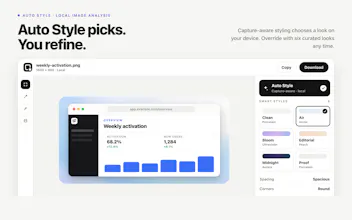
Turn any webpage into polished, launch-ready visuals. Capture an element, region, visible page, or full page (Beta), then apply curated styles, backgrounds, spacing, borders, shadows, and browser chrome. Review suggested sensitive areas, redact manually, copy one PNG, or export six social, Open Graph, Web Store, and blog sizes. Processing runs locally. Try 10 free exports, then unlock for ₹1,899 once. Free email account required.




Free Options
Launch Team / Built With


Dropbox SignSimple, secure eSignatures for the way your team works.
Promoted
Being able to save my own preset combinations of styles and backgrounds would save a ton of time when capturing similar elements across pages.
@bulembackdnup great feedback, I will include this in the next update.
A nice twist would be letting users save their own style presets alongside the curated ones, so a brand color combo or shadow setup doesn't have to be redone every capture. That plus a simple way to reuse the same redactions across exports would save a lot of clicks.
@serdar962425 Great feedback!
the suggested sensitive area detection is the part I'm most curious about. how good is it at catching things like emails or api keys sitting in a screenshot, or is it mostly flagging obvious stuff like faces and the text-based secrets are still on the user to catch manually
Captured a pricing section from a client site and the drop shadow plus rounded corners made it look like a proper mockup in seconds. The local processing is a nice touch for anyone nervous about pasting URLs into random tools.
Captured a pricing page in one click and the shadow and browser frame options made it look honestly ready to post, no Photoshop needed. The local processing is a nice touch too.
Captured a pricing table from a client's site and the drop shadow plus subtle border made it look like a proper launch asset in seconds. Local processing is a nice touch for anyone worried about pasting sensitive dashboards into yet another cloud tool.