
Rayzia AI Agent Vector Editor
Draw with AI. Edit by hand.
10 followers
Draw with AI. Edit by hand.
10 followers
Connect Claude code and watch it draw, recolour and edit directly on your canvas. Every shape remains fully editable.



Free
Launch Team / Built With


Dropbox SignSimple, secure eSignatures for the way your team works.
Promoted
Hi Product Hunt! 👋
I'm the maker of Rayzia — a vector editor that works, fully, hand-in-hand with an AI agent. And I believe it solves a problem the whole design world is stuck on.
Right now, almost every AI design tool does one thing: it generates a flat image and stops. What you get back is hard to change — you can't grab one shape, can't fix one curve, can't build on it. The AI hands you a picture, and you're on your own.
Rayzia solves exactly that.
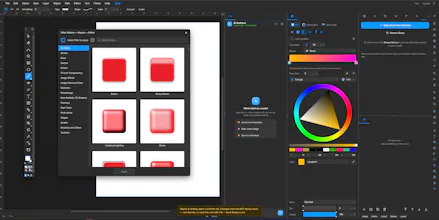
Instead of generating an image, the AI agent works inside the editor, alongside you. Ask it to draw a logo — and it draws a real, editable logo. Then you step in and refine it by hand: move a node, change a color, reshape a curve.
Then hand it back to the AI. Then take over again.
It's a seamless loop — human and AI editing the same file, together, with no wall between them.
And the agent isn't limited to a few tricks: it can pick up every tool you can — pen, shapes, gradients, layers, effects, undo, redo — and draw with them directly on the canvas.
In the demo, Claude Code connects through MCP and draws directly on the canvas. It creates real vector shapes, paths, and objects — everything remains editable, just like something a human designer created.
AI doesn't replace the designer.
It becomes a creative partner.
I built every part of this myself, from the editor engine to the AI integration. It's still early, and I know there are rough edges — that's why your feedback means a lot.
Thank you for taking a look. 🙏
The live connection with Claude is genuinely cool, and being able to keep shapes editable after the AI touches them is a huge plus. One thing that would make this even better for me would be a layer history panel so I can see and revert each AI-driven edit step by step instead of losing track of what changed when the agent makes several adjustments in a row.
@sleymantalnkyt Appreciate this a lot, Süleyman 🙏 Quick tip in the meantime: there's already an undo-history panel (Edit ▸ Undo History) that lists every step and lets you click any one to jump straight back — so nothing's ever truly lost.
Where you're spot on is the granularity: when the agent fires several edits in one go they currently collapse into a single step, and the AI steps aren't labeled with what they touched. Making each AI action show up on its own — "moved Roof", "recolored Door" — so you can walk back through them step by step is exactly what we're building next. Thanks for putting your finger on it.