No reviews yetBe the first to leave a review for Queuewatch
Maker
📌
QueueWatch - Never Miss a Failed Queue Job Again
The Problem:
Laravel queues fail silently. Your background jobs process payments, send emails, sync data - but when they break, you might not know until a customer complains. By then, it's too late.
The Solution:
QueueWatch is a real-time monitoring service built specifically for Laravel applications. It watches your queues 24/7 and alerts you the moment something goes wrong - before your users notice.
Key Features:
🚨 Instant Alerts - Get notified via Slack, Discord, email, or webhook when jobs fail, queues back up, or workers go down
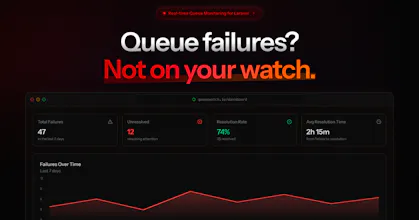
📊 Beautiful Dashboard - Monitor queue health, job throughput, failure rates, and processing times at a glance
🔍 Deep Insights - Trace failed jobs with full stack traces, payloads, and context. See exactly what went wrong and why
⚡ Performance Tracking - Identify slow jobs before they become bottlenecks. Track job duration trends over time
🛠️ Enhanced CLI Tools - Powerful command-line utilities for debugging and managing failed jobs in production
Why QueueWatch?
Drop-in Installation: One composer package, zero config changes
Laravel-Native: Built by Laravel developers, for Laravel developers
Privacy-First: Your sensitive data never leaves your servers
Production-Ready: Monitor unlimited apps and jobs without performance impact
Perfect For:
Teams running critical background processes, processing payments, handling webhooks, sending transactional emails, or managing any async workload where failures matter.
Stop discovering queue failures through support tickets. Start monitoring with QueueWatch.