
pulsai
Talk to your Garmin data from any AI.
17 followers
Talk to your Garmin data from any AI.
17 followers
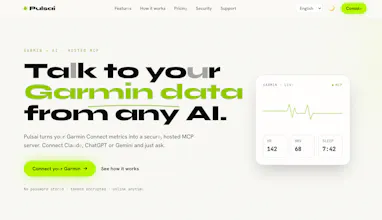
Talk to your Garmin data from any AI. Pulsai turns your Garmin Connect metrics into a secure, hosted MCP server. Connect Claude, ChatGPT or Gemini and just ask.



the fact that you let me plug my Garmin into Claude without a custom pipeline is genuinely useful, and the MCP server setup feels really polished for a v1.
@nisa282898 Thank you — "no custom pipeline" was the whole design goal. No glue code, no scripts to maintain, no scraping: you paste one private URL into Claude and your Garmin data is just there. On the "polished for a v1" — that means a lot, thank you. Under the hood it's a hosted, per-user MCP endpoint with your Garmin tokens encrypted at rest, working the same across Claude, ChatGPT and Gemini. It's early though, so I'm all ears — if there's a metric or workflow you'd want next, tell me and it likely goes on the roadmap. 🙏
the MCP server approach is smart instead of forcing yet another app, just hooking into whatever assistant you already use feels like the right call. clean idea, well scoped.
@melekkaraaycjc Thank you — "well scoped" might be my favorite kind of feedback. It was a deliberate constraint: do one thing — bridge Garmin to the assistant you already use — and do it cleanly, instead of building yet another dashboard you'd have to remember to open. MCP is what makes that possible: your data shows up as tools inside Claude, ChatGPT or Gemini, no new app, no glue code. Keeping the scope tight is also what let it feel polished at v1. Really appreciate you seeing the intent. What assistant are you on? Curious which one people reach for first. 🙌
Finally a clean way to actually use all that Garmin data beyond pretty graphs. Love that it just plugs into the AI tools I already use.
@adahiberThank you! That’s exactly why I built Pulsai — the data was always there, it just needed a better interface. Curious: what’s the first thing you asked about your training? Always looking for the questions people actually want answered.