
pulsai
Talk to your Garmin data from any AI.
17 followers
Talk to your Garmin data from any AI.
17 followers
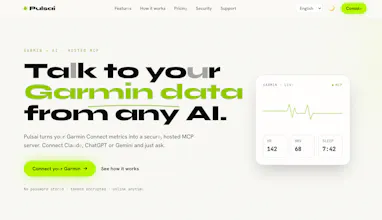
Talk to your Garmin data from any AI. Pulsai turns your Garmin Connect metrics into a secure, hosted MCP server. Connect Claude, ChatGPT or Gemini and just ask.



Hey Product Hunt! 👋
I'm a runner, and like a lot of Garmin users I had a frustrating routine: my watch collected incredible data — sleep, HRV, training load, body battery — but Garmin Connect just showed it to me. It never answered the questions I actually had: "Why did I feel terrible on Sunday's long run?" "Am I recovered enough to push today?"
For a while I was literally taking screenshots of my Garmin stats and pasting them into ChatGPT. It kind of worked, but it was tedious and the AI only ever saw fragments.
When MCP (Model Context Protocol) came out, it clicked: instead of copy-pasting data into the AI, I could give the AI direct, secure access to my data. So I built Pulsai — a hosted MCP server for your Garmin Connect data. You connect once, and then Claude, ChatGPT or Gemini can analyze your real training, sleep and recovery whenever you ask.
The approach evolved a lot along the way. My first version was [a script just for myself / a local tool — cuenta tu versión real]. Two things changed the direction:
Zero setup became the whole point. Runners aren't going to run a local server or touch a terminal. Making it fully hosted — connect and go — was the difference between a dev toy and a real product.
Privacy went from afterthought to core feature. This is health data. "Your data is never used to train models, and you can delete everything with one click.
Would love your feedback — especially from fellow Garmin nerds. What's the first question you'd ask an AI about your own body? I'll be around all day answering comments 🏃♂️
How does this handle historical data imports from Garmin Connect, and is the MCP server read-only or can it write workouts back too?
@cemilezkylgbx4 Great question — two parts:
Historical data: there's no bulk "import" step. Pulsai reads on-demand, straight from Garmin Connect using your own tokens. You just ask in natural language for any date or range — "my runs in March", "last 90 days of HRV and sleep" — and it fetches live from Garmin (activities by date/range, splits, weather, HR/power zones, sleep, HRV, stress, body battery, weight, nutrition, PRs, race predictions, devices, and more). Historical depth is simply whatever your Garmin account holds. Nothing is warehoused on our side — the only thing we persist is your Garmin tokens (encrypted at rest), so every query hits Garmin directly and stays current.
Read-only? No — it writes too. Beyond reads, your AI can push data back to Garmin Connect: create and upload structured workouts (run, strength, walk/run intervals), schedule them, log manual activities, add weigh-ins, body composition, hydration and blood pressure, rename/re-tag activities and set perceived effort, and manage gear and courses. So you can literally have your AI plan next week's training block and send it to your watch. Writes only happen when you ask, over your own private per-user MCP endpoint, and you can unlink anytime.
Curious how the MCP server stays in sync if I don't have Garmin Connect open in the background, and whether there is any lag when I ask something like my weekly training load right after a ride?
@nurtenwmvt No background app or daemon required — nothing needs to be "open" anywhere. Pulsai talks to Garmin's cloud directly, server-side, using your encrypted tokens, and fetches fresh on every request. There's no local sync agent on your phone or computer, and we don't keep snapshots — Garmin's servers are the single source of truth (the same place your watch already uploads to).
So the only real "lag" is your watch → Garmin Connect upload — the normal device sync you already have, usually seconds to a minute or two after a ride. Once the ride lands in Garmin Connect, Pulsai reads it in real time: no extra caching or batch delay on our end. Ask "my weekly training load" right after and it reflects the latest as soon as Garmin has it. Per-query latency is basically the round-trip to Garmin's API (typically ~1–2s) plus your AI client's own thinking time.
Two honest notes: derived metrics like Training Load / Training Status appear once Garmin finishes computing them (usually quick, occasionally a short delay after the activity syncs), and Garmin rate-limits very heavy bursts of requests — normal conversational use sits comfortably within that.
How does Pulsai handle the privacy of historical Garmin data when it's stored on your servers, and can I delete everything permanently if I cancel?
@yazkrmazvmqc Two parts, and privacy is the core of the design:
Historical data isn't warehoused. Pulsai doesn't copy or store your Garmin history on our servers. Every query reads on-demand, live from Garmin Connect using your own tokens — so there's no growing archive of your activities, sleep or HRV sitting on our side. The only thing we persist is your Garmin access tokens, encrypted at rest with Laravel Crypt (decrypted only in-memory to serve your private endpoint), plus basic account and billing records. We never store your Garmin password.
Yes, you can delete everything.
- Unlink anytime (self-serve): disconnecting Garmin immediately deletes your stored tokens and revokes your private MCP URL — no more access, instantly.
- Full account deletion: on request we permanently erase your account and everything tied to it — connection, MCP endpoints and payment records — as a hard cascade delete, and revoke all sessions. It's gone for good, not soft-hidden.
Since we hold no history, there's no data lake to leak — cancel and unlink and there's essentially nothing left but the anonymized billing record we're legally required to keep.
How does the hosted MCP server actually stay secure when I'm piping Garmin health data through third party AI like ChatGPT, and is my raw data stored anywhere or just passed through?
@zcanyelkenzudp Great security question — let me split it into transport, storage, and the third-party AI part, because they're different trust boundaries:
Transport & access. Everything runs over TLS/HTTPS. Your MCP endpoint is a per-user, unguessable private URL — that URL is the credential, and you can regenerate it anytime to instantly revoke access. Internally, the only service that can read decrypted tokens is the MCP, and it reaches Laravel over a private Docker network endpoint that's IP-restricted and gated by a constant-time shared-key check — not exposed to the internet. Each request is bound to its own tenant context (strict per-user isolation) and rate-limited per user.
Storage — it's passed through, not stored. Your raw Garmin health data is never written to our servers. Every query streams on-demand from Garmin Connect straight through to your assistant; we don't keep a copy of your activities, sleep or HRV. The only thing persisted is your Garmin access tokens, encrypted at rest (Laravel Crypt), decrypted only in-memory to serve your endpoint. Your password is never stored at all.
The honest part about third-party AI. When you ask ChatGPT (or Claude/Gemini) about your data, the specific values you request do flow into that assistant — that's inherent to using any AI, not something Pulsai adds. Pulsai is the secure, minimal pipe: it doesn't add its own copy, and it only ever moves the data points your prompt actually needs. What the AI provider does with a prompt is governed by their terms — so you stay in control by choosing what to ask and which assistant to use, and you can unlink (wiping tokens + endpoint) the moment you want out.
finally someone bridged garmin connect to the ai assistants i already use. the mcp server approach feels like the right call instead of yet another standalone app.
@zeyneplteklvlu Thank you — that's exactly the bet. The world doesn't need another dashboard to log into; your Garmin data should just show up inside the assistant you're already talking to. MCP made that click cleanly: one private endpoint that works across Claude, ChatGPT and Gemini, reading and writing straight to Garmin — no data silo, no extra app to babysit. Really appreciate you getting it. Curious what you'll ask it first — training load, sleep trends, or having it build next week's workout? 🙌
Hooked it up to Claude and asked about my sleep trends, the response pulled actual Garmin data and explained patterns I hadn't noticed. Wish I'd had this sooner for training plan adjustments.
@aleyna3zum Love this! Sleep trends → training adjustments is exactly the workflow I designed for. Curious what else it surfaces for you over time