
Promptis
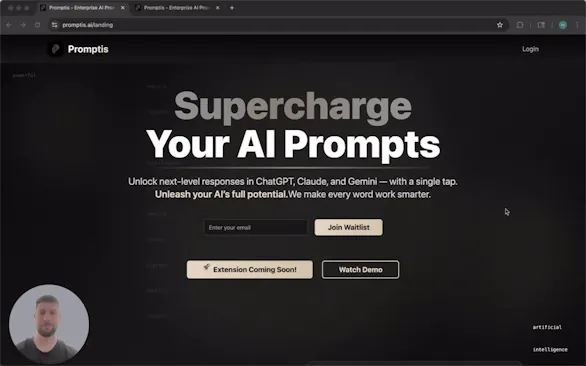
Transform your AI prompts with one click
15 followers
Transform your AI prompts with one click
15 followers
Enhance your AI prompts in real-time across ChatGPT, Claude, Gemini, and Grok with enterprise-grade intelligence and context awareness.




Hey everyone, I'm Michael! 👋
I'm excited to share Promptis with you today. I built this because I was tired of rewriting prompts multiple times to get better responses from ChatGPT and Claude.
What's unique about Promptis:
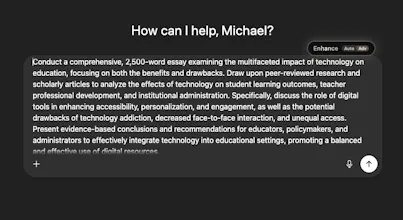
Most prompt tools require you to copy/paste or use separate websites. Promptis works directly inside ChatGPT, Claude, Gemini, and Grok - you just click "Enhance" and get an improved prompt instantly.
What I'm most proud of:
The 2-3 second response time. I built this with smart caching to make enhancement feel instant, not like a chore.
How it works:
- Type your prompt as usual
- Click the "Enhance" button that appears
- Choose Professional, Creative, Technical, or Concise style if you prefer or it can automatically detect intent for you
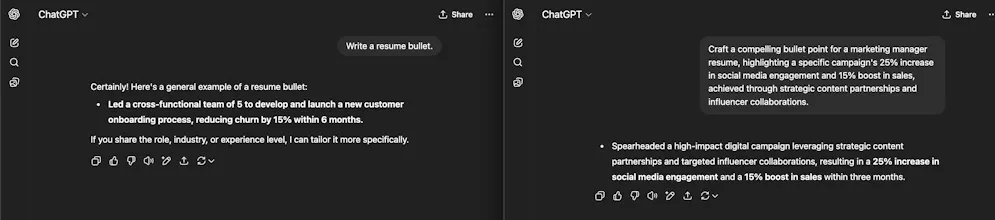
- Get a better prompt instantly
Free to start - 15 enhancements per month, then $5/month for unlimited.
Would love to hear your feedback! What's your biggest pain point with AI prompts?
The in-app enhancement flow seems frictionless. How do you determine when to suggest automatic intent detection vs style selection to users? @michael_brown43
@rachitmagon
Thanks, Rachit! We default to automatic intent detection for a one-click flow. Style selection only shows when you toggle to Advanced - and we honor the user's choice. Hope that answered your question, but let me know if you have any others!
Whoa, this is truely awesome! That "Enhance" button inside ChatGPT/Claude etc. is such a smart idea — I hate messing around with separate websites, copying and pasting. This is way more streamlined, right? So much faster than rewriting prompts myself. Is there a way to customize the styles even more, or are the four options pretty comprehensive to start?