Hey! Prefab launches on Product Hunt tomorrow (1st of Feb).
It's a native Mac app that lets you save folder structures as reusable templates. Drag in any folder, add fill-in fields like {{project_name}} or {{date}}, set up post-creation commands (git init, npm install, etc.), and deploy from the app, menu bar, or Finder right-click.
I've been using it myself for months for everything from spinning up new dev projects to organising client folders. It's free, no account needed, no tracking.


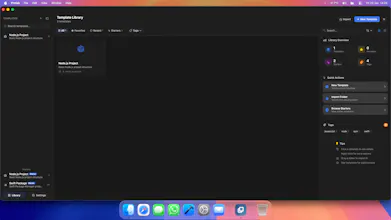


Hey! I built Prefab because I kept wasting time setting up the same folder structures for new projects. Not just the folders themselves, but the boilerplate files, the git init, the npm install. I'd find myself searching for boilerplates online - often outdated and bloated.
I looked at what was out there and it was mostly CLI scaffolding tools tied to specific frameworks, or enterprise-level solutions that were massive overkill. I just wanted something native on my Mac that let me save a folder structure, add some fill-in fields, and deploy it without thinking.
The thing that surprised me most during development was how useful it became outside of coding. I started using it for client project folders, writing projects, even just organising personal stuff. That's what led to the persona system - the app adapts its language and starter templates depending on whether you're a developer, creative, writer, or professional.
A few things I'm particularly happy with:
- You can drag any existing folder in and it becomes a template instantly
- Variables work in folder names, file names, and file contents
- Post-creation automation runs via Apple's sandboxed NSUserUnixTask, so it's properly App Store compliant - no hacky workarounds
- It lives in your menu bar and integrates with Finder's right-click menu, so it's always accessible
It's completely free - no accounts, no tracking, no IAP. I built it for myself and have been using it daily for months. Figured it was time to share it.
Would love to hear what kinds of templates people would use it for, and what features would make it more useful for your workflow.