
Portero
Know exactly what's running on every port of your Mac
193 followers
Know exactly what's running on every port of your Mac
193 followers
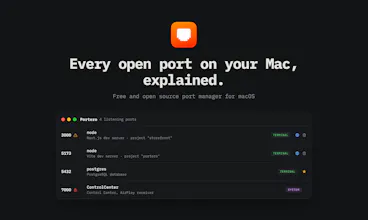
Portero is a free, open source Mac app that shows every open port and the process behind it. See what's running, kill processes on busy ports, fix 'address already in use' errors, and block ports with the built-in macOS firewall.



Free
Launch Team / Built With


EneyProactive AI for Mac. Free test, 20,000 credits.
Promoted
This looks super handy for tracking down port conflicts. One thing I'd love to see is a way to save profiles or groups of ports I'm monitoring for specific projects, so I don't have to keep an eye on a long list manually every time I switch contexts.
@mnevvertumazji Interesting. Today favorites are the only grouping (star what matters, it also protects from kills), plus search and category filters. Per-project profiles you can switch between is a neat framing for context switching. Adding it to the ideas list, thanks!
The plain-English process identity is the feature. “node on 3000” is technically true but not enough to decide whether killing it is safe. Project path, launch source, and last command/context would make this especially useful for Mac dev machines with several half-running projects.
@krekeltronics Agreed, identity is the product. Some of that context is already there: expanding a row shows the working directory, the full command line, and the parent process (which usually tells you the launch source, e.g. iTerm vs VS Code). Surfacing more of that at the row level without cluttering it is the design challenge I'm chewing on.
The "which node, from which project" problem is exactly why raw lsof never stuck for me — mapping a port back to a working directory is the useful part, not just listing PIDs. Two implementation questions: to enumerate every process's ports and to add a firewall block, does Portero need a privileged helper/root, or does it stay inside the user sandbox? And does a blocked port persist across reboots via pf rules, or only for the current session?
@ctresb It polls every few seconds by default, but what's the battery/CPU tradeoff on a laptop with that running constantly? would be nice to know if there's an on demand mode, or if the polling stays cheap regardless of how many ports are open
Are you planning to support deep Docker integration where Portero queries the local Docker socket? If we could resolve a generic docker-proxy process down to the exact container name and Docker Compose service, this would instantly become a must-have tool for local microservice debugging.
the visibility ceiling is worth spelling out — unprivileged lsof only sees sockets owned by your own uid, so a root daemon listening on a port stays invisible until the app escalates. for a dev tool that's fine. tagged as security software, that's exactly the port you'd want to see.