
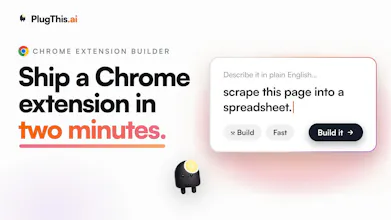
Got an idea for a Chrome extension? Describe it in plain English and PlugThis builds it. Real code, a real backend, ready for the Chrome Web Store. Refine it just by chatting. Connect Supabase for login and a database. Every change is saved as a version, so nothing is ever lost. When you're ready, we generate the icons, screenshots, and listing copy the store asks for. Everyone else builds web apps. We build Chrome extensions. That is the one thing we do.





Forum Threads


View all
Does the generated extension actually get reviewed and approved before hitting the store, or am I on the hook for submitting it myself?
@ahmetrtensjl1 Good to clarify. PlugThis submits it for you, you're not doing the manual upload. You connect your Chrome Web Store account once and it publishes directly, along with the listing, permission justifications, and privacy disclosures the store asks for.
What we can't do is approve it, that review is always Google's call, no tool can bypass it. So the flow is: we handle everything up to and including hitting submit, then Google runs their review. The difference is you're not stuck assembling the submission by hand, which is usually where people stall.
me thinks version history is valuable but can developers compare changes visually A side by side view would help greatly.
Love this, Hana, and you're reading it right.
Under the hood PlugThis already computes a per-file diff between any saved version and your current build: which files were added, modified, or removed, plus the old and new content side by side and a quick +/-/~ summary of the changes. So the compare data is already there.
Turning that into a proper visual side-by-side view is exactly the next step, and honestly comments like this are what push it up the list. Would you want it as a full two-pane code view, or more of an inline "what changed" highlight? Curious how you'd actually use it day to day.
@hana_salazars Love this, Hana, because it already works exactly how you described.
PlugThis has a version diff view built in: pick any earlier version and it opens a real side-by-side compare (old on the left, new on the right, line by line) powered by the same diff engine as a proper code editor. There's a file list next to it showing what was added, modified, or removed, so you can jump straight to the files that changed instead of hunting.
So it's not just snapshots you eyeball, it's a genuine visual diff. Curious what you'd want on top of it. Inline comments on a diff? Diffing two arbitrary versions against each other rather than against current? Would love to hear how you'd push it further.
always wanted to experiement with Chorme extension but the setup process kept pushing me toward others projects. this makes the whole process feel much more approcahable.
@anthonywrinqsb That setup wall is exactly the thing that killed the idea for so many people. Manifests, service workers, build config, store rules, all before you write a single fun line of your actual idea. We wanted the barrier to be "what do you want it to do," not "spend a weekend configuring tooling first."
You should finally build that extension you kept putting off. If you do, tell me what it is, I'd genuinely love to see the first thing you ship with it.
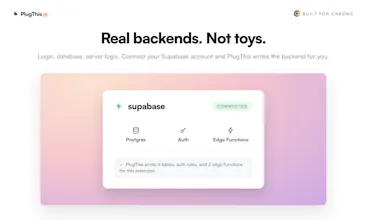
Building a niche-focused SaaS myself, I love the "Lovable, but for X" positioning — going narrow lets you own the whole workflow. Curious: does PlugThis help with the Chrome Web Store review process too (manifest permissions, privacy disclosures)? That's usually the part that kills momentum for first-time extension builders.
Hi @kojimajunya Yes yes we do :D PlugThis tells you your extension's chrome webstore readiness, helps you generate assets and in one click push changes live to CWS.
Please do check out PlugThis and take it for a spin.
"Nowhere to go to build a simple extension for yourself" really nails it — I've got a handful of 15-minute browser itches I never build because the manifest/service-worker setup kills the momentum every time. Since the code is real MV3 that I own, does a build stay Chrome-only, or can the same prompt target Firefox/Edge too? Curious how far the "one thing we do" focus stretches across browsers.
@lennoxbeflying Glad that line landed, and go build those 15-minute itches, they're exactly the sweet spot.
On browsers: today a build is Chrome-first, and the store side is built specifically around the Chrome Web Store. But since everything it generates is standard Manifest V3, the same output already runs on Edge with little to no change, because Edge is Chromium underneath. So realistically it's Chrome and Edge from one build.
Firefox is the honest gap. It supports MV3 but with enough differences in APIs, manifest quirks, and signing that "mostly works" is not good enough, so I would rather do it as a proper target than half-ship it. So the "one thing we do" focus stretches cleanly across the Chromium browsers now, and Firefox is a deliberate next step rather than a checkbox we pretend to have ticked.
Is Firefox the one you'd actually need, or would Chrome and Edge cover your itches? That genuinely helps me prioritize.
What happens when Chrome changes a manifest requirement?
@levi_mitchell1
@levi_mitchell1 The manifest isn't hardcoded into some template you download and own forever. Generation, validation, and sanitizing all happen on our side against the current Chrome rules. So when Google changes a manifest requirement, we update that logic in one place and every new extension people generate follows the new rule immediately.
You don't have to track the spec, learn what changed, or patch boilerplate yourself.
Being honest about the edge: an extension you already published stays as it was shipped, so if a change affects it, you would regenerate and re-publish.
But the "keep up with Chrome's moving target" burden sits with us, not you, which is exactly the part that usually makes people abandon extensions.
What made you ask? Have you been bitten by a manifest change breaking something before?
Congrats on the launch Udaya and team. 🥳
Building chrome extension is not trivial, you need to understand chrome APIs, manifest, permissions and what not. Just having a super easy way to create an extension with 3-4 prompts makes PlugThis worth it. I’ve created few extensions already and the experience was a breeze.
Wonder if the coverage for other browsers is in the roadmap
@cjgiridhar Hi Chetan! Thank you. Glad to have you as one our early users. Your feedback was the reason we built chrome store readiness, asset generation and one click connect to update extensions directly on chrome webstore. Take a bow 🙇 As of now we are focussed on chrome and edge browsers. May be later we might do Safari and Firefox.