
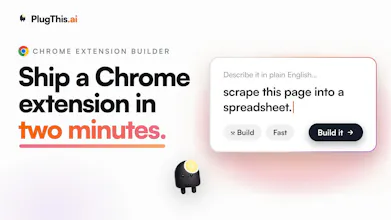
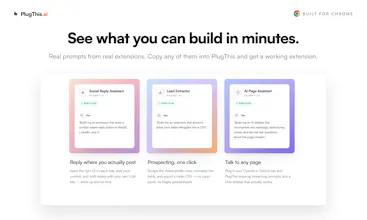
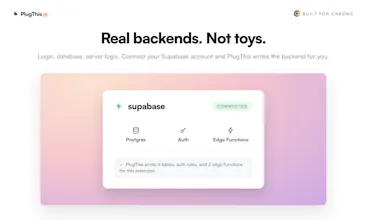
Got an idea for a Chrome extension? Describe it in plain English and PlugThis builds it. Real code, a real backend, ready for the Chrome Web Store. Refine it just by chatting. Connect Supabase for login and a database. Every change is saved as a version, so nothing is ever lost. When you're ready, we generate the icons, screenshots, and listing copy the store asks for. Everyone else builds web apps. We build Chrome extensions. That is the one thing we do.





Free Options
Launch Team / Built With


Dropbox SignSimple, secure eSignatures for the way your team works.
Promoted


Chrome extension generation by chatting is a neat angle. The part I'd worry about as a user is permissions review — it's easy for an extension to ask for too much. Do you show a plain-English diff of requested permissions before build/export?
@xiaosong001 Good instinct to worry about that, it's exactly the failure mode we wanted to avoid.
Yes, before you publish you get a plain-English breakdown of every requested permission, with a reason for each one generated from your actual code, not a generic template. So instead of a raw manifest list, you see "this permission is here because the code does X," and you can edit any of it before it goes out. On top of that, any permission the manifest declares but the code never actually uses gets flagged as "no code usage found, consider removing," so over-asking gets caught rather than justified.
Good idea. It would be even better if your service somehow helped with the promotion and marketing of extensions, because this is much more difficult than development, especially in our time
@maxim100000 You bring up a really good point, our current focus is building the best chrome extension builder in the world. Helping our users move from idea to working extension, as soon as possible.
On the marketing front, we do assist with asset creation and deployment of updates to the chrome store.
We also help getting the extension ready for a chrome store listing.
On the distribution front, we havent made any plans yet, if you have any ideas please share.
This is a great idea. Does the app publish to chrome store directly post building ?
@neosrix Thanks Srix. Yes, it does.
Once your extension is built, you connect your Chrome Web Store account once, and PlugThis uploads and publishes directly from inside the app. It also generates the listing description, permission justifications, and privacy disclosures the store asks for, so you are not filling that out by hand. After the first publish it remembers your Store item ID, so pushing an update later is basically one click.
The only parts that stay on Google's side are the one-time developer account registration and the review itself, since approval is always their call. Everything up to hitting submit, we handle for you.
Congratulations on the launch ! It is really an awesome product. I used it to create an hourglass timer for my kid who can't tell time yet. I could easily change the UI and make other changes to the extension. Was really surprised at the overall design and quality of the result. Is the mobile app on the roadmap? @nefer_ai
@nefer_ai @sonal_waghchoure This genuinely made me smile, thank you so much 🙏 Really glad the design and quality held up, and that changing the UI felt easy.
On mobile: quick honest nuance, because "mobile app" can mean two things. If you mean building extensions from your phone, making the builder itself work well on mobile is very doable and worth considering. If you mean the extensions running on mobile, that's trickier, since Chrome on mobile doesn't really support extensions the way desktop does, so that limit is on the browser side, not us.
Which one were you picturing? That tells me a lot about how to prioritize it.
@nefer_ai @saurabh_dey1 Either of the two is a way to use it on a mobile. A mobile Chrome extension or a quickly deployed APK. For a simple app that I made, it made sense to use it on a phone anywhere rather than sticking to a laptop.
@nefer_ai @sonal_waghchoure That's a really sharp way to frame it, and honestly a direction I had not weighted enough until you said it.
You are right that the two paths are different beasts. A mobile Chrome extension is largely blocked by the browser itself, Chrome on Android just does not run extensions like desktop, so that one is not really ours to fix. But the APK idea is the interesting one. For a simple, self-contained tool like your hourglass timer, the logic does not actually need to be a browser extension at all. It could be exported as a lightweight standalone app or PWA you install on your phone and use anywhere.
That is genuinely a different build target than what we do today, we generate Chrome extensions, but it is a smart adjacent direction: describe a simple tool, get it as an extension for desktop AND as a mobile app for your phone. The fact that you naturally reached for "just let me use my thing on my phone" tells me a lot, because that is exactly the friction worth removing.
Noting this properly. Thank you for pushing on it, and for the hourglass timer, that is still my favorite thing anyone has built with it.
This looks cool! Does it support complex extensions with multiple pages?
Hi @pixori We can build complex multi page extensions, do you have any particular idea you want to see as an extension?
@nefer_ai For example - a multi-page extension that pulls prices from several open tabs into one live comparison panel
@pixori I was able to get this done in 2 prompts. The extension fetches data from 3 open tabs and price compares yogurt and presents findings in a new tab.
@nefer_ai This is crazy!
Been sitting on a Chrome extension idea for probably a year now and never touched it because I don't really code. The Twitter ICP scoring one you mentioned is basically the exact vibe of the thing I've wanted to build. Gonna actually try this today instead of letting it rot in my notes app lol.
@mshen316 This is the exact person we built it for, Michael 😄 A year in the notes app is long enough, today's the day.
And good news, the Twitter ICP scoring idea is right in the sweet spot: read the profile or timeline, score it against your criteria, show the result inline. You describe it in plain English and it figures out the structure, the permissions, and the scaffolding for you, so not really coding is not the blocker it used to be. You can refine it just by telling it what you want changed.
One tip: start with the simplest version of the idea, get that working and seeing it live, then add the fancy scoring logic. Momentum is everything, and this time you won't lose it to setup.
Go build it, and please come back and tell me how it went. Genuinely rooting for you on this one.
@jill_camhi_osinoff First, thank you for trying out Plugthis.
Let me assist you with your question.
Please input the idea you have for the extension and click on the black arrow button.
I have pasted a screenshot below for your reference, if you still have questions please reply I ll assist.
@nefer_ai I entered in the prompt but there is no black arrow visible. I’m on mobile.
@jill_camhi_osinoff Hi apologies, currently plugthis.ai works best on desktop. Can you please try creating the extension from a desktop device.