Launching today

Pexo
Produce pitch perfect launch videos with precise control
673 followers
Produce pitch perfect launch videos with precise control
673 followers
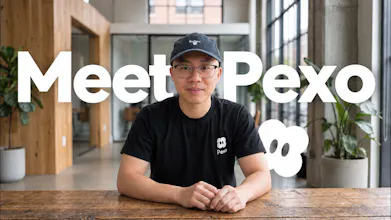
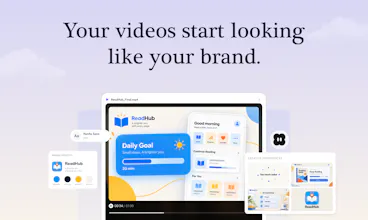
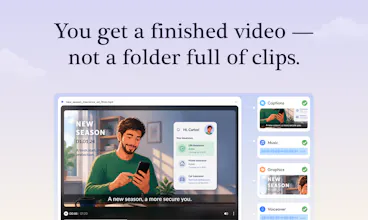
Pexo makes creating your launch video as simple as having a conversation. Share your product, website, or assets. It plans the story, chooses the right AI model for each task, generates and assembles the scenes, and handles voiceover, music, captions, motion graphics, and editing. Leave a comment or circle what you want changed, and Pexo makes the edit. You direct one agent from idea to a finished, on-brand launch video.




Paradigm
Our app is ready. The launch video… not so much. Good timing!
Pexo
@jingjing_w Sounds familiar 😅 Drop in your app’s URL and a few screenshots, then tell Pexo who it’s for and what you want to highlight. That’s enough to start working on the story.
Manna
Just tried Pexo and used it to create my own launch video. Really impressed with the experience so far.
What I liked most is how interactive the creation process feels. Instead of generating everything at once, it pauses at certain points to ask questions and waits for your input before moving forward, almost like working with Codex. It also generates the opening section first, so you can review the style and direction before approving it to create the rest of the video.
One thing I’m still a little confused about is the credit system. One 30-second video cost me 124 credits, while another 45-second video used around 1,600 credits. That’s a pretty big difference, and I’m not quite sure what determines the credit usage.
Overall, though, the creation experience is really impressive.
If you’re curious, here’s the final video I made:
https://pexo.ai/s/v/dUSDDgtZBu?utm_medium=referral&utm_campaign=video-share
GNGM
BTW, how to claim the 500 bonus credits?
Pexo
@justin2025 After signing up, click your profile picture in the top-right corner, select “Redeem code”, and enter BZ8B29 to claim your 500 bonus credits. Enjoy creating! 🎬
GNGM
FuseBase
Does it support any language?
Pexo
@kate_ramakaieva Pexo supports multilingual voiceovers and subtitles. Which language are you planning to use?
Wonder how much control you have when you want it to match the product really closely.
Pexo
@robert_smith52 For a close match, upload your actual product screenshots, logo, and references, and tell Pexo which details need to stay exact. You can review the storyboard first, then mark specific areas to refine in the video.
Can it work well when the product has several features that need different levels of attention?
Pexo
@taoma17 Yes! Tell Pexo which feature should lead and which ones only need a quick mention. You can review the script and scene order first, then adjust how much time each feature gets.
Excellent idea! With Pexo choosing an appropriate AI algorithm for each individual task, is it possible to view or change the selected algorithm for a particular scene?
Btw, Congratulations team Pexo 🎊✌️
Pexo
@aymi_malik Thanks, Muhammad! Pexo chooses models automatically, but you can also request a supported model by name in the conversation. I’m checking the details on viewing and changing the model for an individual scene.