Passwizard generates strong passwords and beautiful WiFi QR codes — entirely in your browser. Nothing is uploaded, no account needed. Includes a Have I Been Pwned leak check (k-anonymity) and research-backed security guides. Free, no strings attached.
No reviews yetBe the first to leave a review for PassWizard
Maker
📌
Hey hunters!
I'm Torsten — I've spent 25 years building enterprise software, where security and compliance are part of everyday work.
Passwizard started with two small annoyances:
- I was never happy with the passwords my browser suggested.
- I wanted my WiFi QR code to actually look good — with custom colors and a logo, not just a black-and-white square taped to the fridge.
So I built a toolkit that fixes both, with one hard rule: everything runs in your browser. Passwords are generated locally with the Web Crypto API, WiFi credentials are turned into a QR image on your device, and the leak check uses Have I Been Pwned's k-anonymity API — your full password is never transmitted.
What's inside:
- Password generator (configurable, entropy display)
- WiFi QR generator — the fun part: module styles, colors, logo upload. Share your WiFi without spelling out the password.
- Leak check via Have I Been Pwned (k-anonymity)
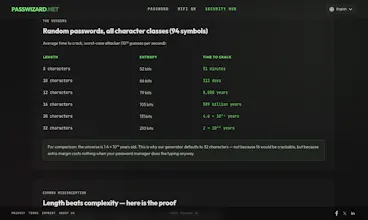
- Security guides with verifiable sources (NIST, Microsoft/Google research) — including exactly how long it takes to crack a password of any length
It's free, there's no account, and no upsell. I'd love your feedback — especially on the QR designer. What would make you replace the plain QR code on your fridge?