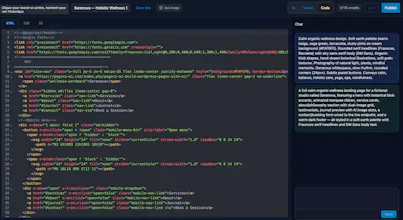
Describe the page you want, and Pagora AI generates complete HTML/CSS/JS inside WordPress. Refine it by chatting or edit the code directly in a Cursor-style editor with live preview, version history, AI images, and SEO controls. Your theme stays intact.
No reviews yetBe the first to leave a review for Pagora AI - Wordpress plugin
Maker
π
Hi Product Hunt! π
I'm a solo developer from France. I've been building WordPress products for years, and I kept hitting the same wall: page builders are powerful but slow, and AI website generators lock you into their platform.
So I built Pagora AI, an AI page builder that lives inside WordPress. You describe the page you want in plain language, and it generates complete HTML/CSS/JS (UnoCSS, Alpine.js, Motion One bundled). Then you refine it two ways: keep chatting, or open the built-in code editor and change anything yourself, like Cursor, but for WordPress pages.
A few things I care about:
- No lock-in - pages are standalone HTML/CSS/JS. Deactivate the plugin, your content stays.
- Your theme stays intact - Pagora only takes over pages where you activate it.
- Version history - every save is a snapshot, restore in one click.
- Cache-friendly - hashed assets, integrations with WP Rocket, W3TC, LiteSpeed.
The plugin is free on WordPress.org, and every new account gets free page generations to try it.
I'd genuinely love your feedback: what would make you switch from your current page builder?
Report
One thing that would make this way better for me is letting me save custom prompts or templates for sections I build repeatedly, like testimonial blocks or pricing tables. That way I am not retyping the same instructions every time and the output stays consistent across pages.
Report
Maker
@sonerh51937Β This feature is already available in the plugin. To do this, go to your WordPress dashboard under Pagora AI > Templates > New Template and select "Custom Part". Once the template is created, the AI will be able to reuse it on every page, and you'll also be able to drag and drop it wherever you like on your pages.
Report
Finally a WordPress tool that lets me describe what I want in plain words and actually spits out working code without nuking my theme. The live preview while editing in that cursor-style editor feels surprisingly fluid.
Report
Maker
@sare612858Β Yes, it seemed to me that a plugin like this one was still missing, and that the WordPress ecosystem lacked a fully AI-driven generation while still giving you the ability to edit the generated content. The generation is indeed completely independent from the theme, which allows the AI to generate a fully custom page that won't conflict with the theme you're using.
One thing that would make this way better for me is letting me save custom prompts or templates for sections I build repeatedly, like testimonial blocks or pricing tables. That way I am not retyping the same instructions every time and the output stays consistent across pages.
@sonerh51937Β This feature is already available in the plugin. To do this, go to your WordPress dashboard under Pagora AI > Templates > New Template and select "Custom Part". Once the template is created, the AI will be able to reuse it on every page, and you'll also be able to drag and drop it wherever you like on your pages.
Finally a WordPress tool that lets me describe what I want in plain words and actually spits out working code without nuking my theme. The live preview while editing in that cursor-style editor feels surprisingly fluid.
@sare612858Β Yes, it seemed to me that a plugin like this one was still missing, and that the WordPress ecosystem lacked a fully AI-driven generation while still giving you the ability to edit the generated content. The generation is indeed completely independent from the theme, which allows the AI to generate a fully custom page that won't conflict with the theme you're using.