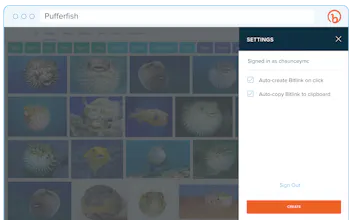
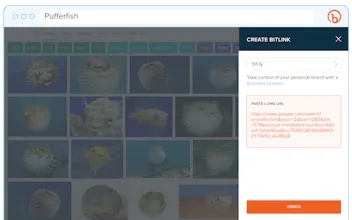
Welcome to the new Bitly Chrome Extension! We updated the design to be in line with the #NewBitly branding. We also removed outdated features, like notes & the ability to choose privacy -- we simply default to anonymous now. Of course, we kept the ability to one-click shorten and will continue to focus around that use case.
We took out metrics within the extension itself because it would likely cause more friction when the main use case is to shorten and go back to browsing around the internet. You still get access to those good old Bitly click metrics right in your dashboard at bit.ly. Go ahead, login and see if that teammate in Berlin took a look at your product planning draft.
If you aren’t already an avid Bitly user, the Chrome Extension might be your gateway to becoming one. I use it daily as a productivity tool for quickly sharing and tracking google docs. For instance:
https://docs.google.com/a/bit.ly...
becomes customized and trackable in a moment:
http://bit.ly/ProjectPufferfish
I can search for customized links that I’ve shared with my team much quicker in Slack, which saves a lot of time when context switching between documents for different projects.
Hope you enjoy!
Y
Report
I signed into bitly.com on chrome but the chrome extension wants me to sign in again and the sign-in window doesn't seem to connect to the lastpass chrome extension?
@chuckkahn Did you installed the new ext from the chrome web store, or the older version ext automatically upgraded? If it's self upgrade, it shouldn't ask for username and password. However, if you installed the new ext from chrome store, then it's expected behavior to ask for username and password once in the popup window. Next time when you shorten a link, that window shouldn't come up again.
Report
@miaomiao_yin I installed from the Chrome web store. I can auto-login to bitly.com via my bitly password saved in LastPass or via Twitter since I'm already logged in to Twitter, but neither of these auto-login measures work in the pop-up, as if the pop-up is sandboxed from the authentications in my Chrome session.
If you aren't aware, the benefit of password managers like LastPass are that they can generate super-long complex passwords for you and save them and then later autofill them into the browser password field so that you don't have to remember or type them. Similarly, the benefit of Oauth with Twitter is that I don't have to re-enter my password. So why is this Bitly pop-up not recognizing my LastPass or Oauth session settings like all tabs in Chrome do?
@chuckkahn Thanks! We came across the inconvenience this creates for some users during our beta testing and know that the incompatibility with LastPass isn't great. Ultimately, this flow was a compromise the team made on the UX side. While having this sandboxed solution means that you do have to enter your password (only once), the benefit is that--for most--this signin process doesn't interrupt the user's flow by opening a new tab and forcing them to find and navigate back to the tab they were originally on.
It's still early in the feedback collection process and we will definitely keep yours in mind as we plan future iterations/improvements. I really appreciate you taking the time to comment on the experience and if you have more feedback/suggestions please shoot an email to the pm Yasi (y@bit.ly) and she will make sure it is circulated to the team!
Report
The design team at Bitly is really excited to finally share the new Chrome extension with the world! You might remember seeing #NewBitly launch a few months back, so with these updates we have aligned the extension with our desktop platform. The updated UI allows for a cleaner experience - we sure hope you enjoy it as much as we do. Now, what are you waiting for? Get shortening and start tracking!
Report
I Love it! The team did an amazing job refreshing the Chrome Extension. Its intuitive and much easier to use. The focus is on staying in your workflow and being more productive. Huge thumbs up!
Love the new streamlined design that matches the new Bitly platform, especially the fact that it doesn't block the center of page content. Huge props to the team for a quick turn-around with one of our stickiest integrations! Nice work!
Report
So much to love about this new Chrome Extension. I use it every day to create my links. It's super fast, super smart and, so damn fine. Congrats to the team!
Report
Awesome job improving something that already worked well - this thing is super responsive, is really to use and incredibly helpful to my workflow. And it looks sweet too. Really nice job by the crew, 10/10 but this is Product Hunt so on a binary scale UPVOTE UPVOTE UPVOTE +++


 Glitch

 New Bitly Chrome Extension


 New Bitly