Launching today

MuM
A reading-first Markdown engine for macOS
46 followers
A reading-first Markdown engine for macOS
46 followers
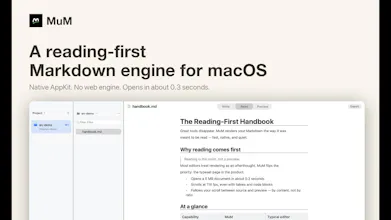
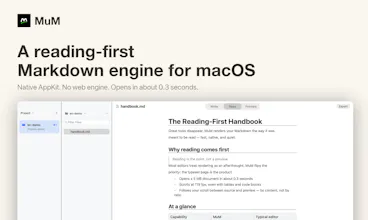
Your Markdown lives in a dozen folders. Most of the time you don't want to write — you just want to read one section. Every Markdown tool is a writing app with a preview pane. MuM is the opposite: a native macOS reader with no web engine inside — all AppKit. Several projects open at once, each remembering where you stopped. Cross-project search. Typesetting tuned for CJK as well as Latin. ~0.3s cold start, 1.7 MB download, 100+ fps scrolling a 5 MB document. Open source, MIT.



MuM
Hey Product Hunt 👋
MuM is a reading-first Markdown engine for macOS.
I read Markdown far more than I write it — docs, notes, specs, scattered across
folders. Every tool I tried (Typora, Obsidian, VS Code, MacDown) is a writing app
that happens to have a preview. To read one section I had to boot a whole writing
environment.
So I built the tool I wanted: a native reader with no web engine inside. Cold
start to window is ~0.3s, the DMG is 1.7 MB, and scrolling a 5 MB document holds
100+ fps — because it's AppKit all the way down, not a browser wearing a trench coat.
A few things I care about:
• Reading position per project — close it, reopen, you're where you left off
• Cross-project full-text search (⌘⇧F) — my notes aren't in one vault
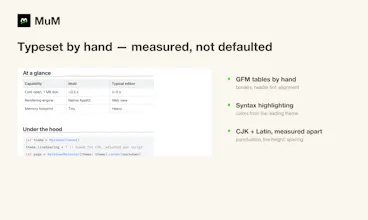
• Typesetting tuned for CJK, measured rather than defaulted
• The same engine has a CLI (mum render/outline/search), so agents get the exact
same typesetting humans read
Full disclosure on how it was made: MuM is built by three AI agents working the
same repo — Claude Code (independent testing and audits), Kimi Code
(implementation), and DeepSeek Harness (product definition and acceptance). Three
different vendors' CLIs, one codebase. They coordinate over a message queue and a
shared task board; I supplied the requirements and the judgment.
The numbers, because "AI wrote it" usually means nothing:
• 17 releases in eleven days
• 207 commits · 61 source files · ~16,700 lines of Swift
• 147 automated tests, plus 14 in-app UI scenarios and a 24-assertion renderer
self-check
• every release signed and notarized
• acceptance is a script, not a vibe: one gate blocks the build if anyone calls a
blocking API on the main thread — that gate exists because I hit a real hang
It's MIT, source is on GitHub: https://github.com/ice5kysl/MuM
I'd genuinely like to know where you get stuck — what's the first thing you do
after opening it, and where do you pause for more than five seconds?